Written by SONNY SEHGAL | CEO
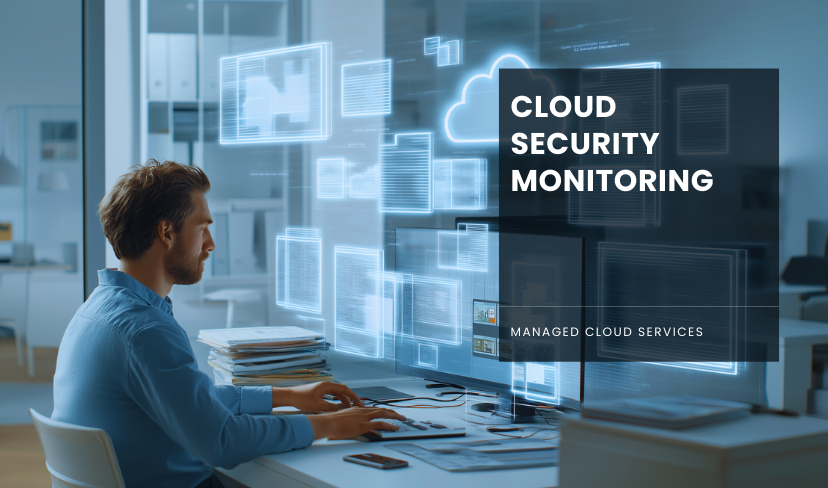
Cloud security monitoring is the ongoing process of watching your cloud environment for unusual activity, weak configurations, unauthorised access, and early signs of cyber threats. In simple terms, it helps you see what is happening across your cloud systems so you can spot risks quickly and respond before they turn into something much bigger.
That matters because the cloud has changed the way you work. Your users may be logging in from different locations, your data may sit across multiple platforms, and your business may rely on a mix of Microsoft 365, Azure, third-party apps, remote devices, and connected services. That flexibility is useful, but it also creates more moving parts to protect.
You are no longer defending a single office network with a clear perimeter. You are protecting identities, data, workloads, applications, devices, and integrations that may be spread across several environments. That is why cloud security monitoring is now a core part of modern cybers ecurity rather than an optional extra.
For UK businesses, the need is clear. The UK Government’s Cyber Security Breaches Survey 2025 found that 43% of businesses and 30% of charities identified a cyber security breach or attack in the previous 12 months. The same survey estimated the average cost of the most disruptive breach at £1,600 for businesses overall, rising sharply when you look only at organisations that reported a material cost.
What is cloud security monitoring?
Cloud security monitoring means continuously collecting and reviewing security data from your cloud environment so you can detect threats, investigate incidents, and improve your overall security posture.
That data can include:
- sign-in activity
- failed login attempts
- privilege changes
- suspicious admin actions
- data downloads or transfers
- application behaviour
- API activity
- network traffic
- configuration changes
- alerts from security tools
- vulnerability findings
Instead of waiting until a breach is obvious, you are looking for warning signs in real time.
This matters even more in the cloud because cloud environments are dynamic. New users, devices, workloads, and integrations can be added quickly. Permissions can drift over time. A storage setting can be changed in minutes. A third-party connector can create extra exposure without anybody noticing. The NCSC’s guidance on using cloud platforms securely stresses that cloud security is not just about initial setup. It depends on how your platform is configured, managed, and maintained over time.
What is cloud security monitoring?
Cloud security monitoring means continuously collecting and reviewing security data from your cloud environment so you can detect threats, investigate incidents, and improve your overall security posture.
That data can include:
- sign-in activity
- failed login attempts
- privilege changes
- suspicious admin actions
- data downloads or transfers
- application behaviour
- API activity
- network traffic
- configuration changes
- alerts from security tools
- vulnerability findings
Instead of waiting until a breach is obvious, you are looking for warning signs in real time.
This matters even more in the cloud because cloud environments are dynamic. New users, devices, workloads, and integrations can be added quickly. Permissions can drift over time. A storage setting can be changed in minutes. A third-party connector can create extra exposure without anybody noticing. The NCSC’s guidance on using cloud platforms securely stresses that cloud security is not just about initial setup. It depends on how your platform is configured, managed, and maintained over time.
Why cloud security monitoring matters?
If your business uses cloud services, you work within a shared responsibility model. Your cloud provider secures the underlying infrastructure, but you are still responsible for how your accounts, identities, data, settings, and workloads are managed.
That is where monitoring becomes essential.
Without proper monitoring, you may not notice:
- a compromised user account accessing sensitive files
- a risky change to permissions or admin settings
- unusual behaviour from a cloud workload
- a publicly exposed storage location
- a suspicious API connection
- large data transfers that should not be happening
- warning signs before ransomware, account takeover, or data loss
In other words, cloud monitoring gives you visibility. It helps you understand what is normal, what is not, and what needs attention now.
It also helps you improve resilience. If you detect issues earlier, you usually reduce the impact, the downtime, and the recovery effort. IBM’s 2025 Cost of a Data Breach Report put the global average cost of a data breach at $4.44 million, with faster identification and containment linked to lower overall costs.
Ready to Secure Your Cloud with Confidence?
Speak with a Transputec expert today.
What cloud security monitoring should cover?
A good monitoring approach goes well beyond a few basic alerts. It should give you a joined-up view of your cloud estate.
1. Identity and access
Most cloud attacks do not begin with dramatic malware. Very often, they begin with stolen credentials, weak authentication, or over-permissioned accounts.
You should be monitoring for:
- unusual sign-in locations
- repeated failed logins
- impossible travel events
- dormant accounts becoming active again
- unexpected privilege escalation
- admin changes outside normal patterns
- access from unmanaged or risky devices
If you rely heavily on Microsoft services, this becomes especially important across Microsoft 365 Managed Services and broader identity controls linked to your cloud estate.
2. Configuration changes
Misconfiguration remains one of the biggest cloud risks. A single setting can expose data, weaken access controls, or create a path for attackers.
Monitoring should help you spot:
- publicly accessible storage or services
- disabled logging
- overly broad permissions
- missing encryption
- security policies being bypassed
- firewall or network rule changes
- drift from approved baselines
This is a major part of keeping Cloud Security practical rather than theoretical.
3. Workloads and applications
Your cloud workloads need monitoring, too. That includes virtual machines, databases, containers, applications, APIs, and any connected services that process business data.
You should be able to spot:
- unusual process activity
- suspicious outbound traffic
- unexpected application behaviour
- API misuse
- unauthorised changes to deployed services
For businesses running more complex environments, this often sits alongside Azure Cloud Services or wider Managed Cloud Services.
4. Data activity
You need visibility over how data is being accessed, shared, downloaded, and moved. That is especially important if you store personal data, client records, financial information, or commercially sensitive material in the cloud.
Monitoring data activity can help you detect:
- unusual download volumes
- mass file access
- sensitive data moving to unapproved locations
- unexpected sharing actions
- suspicious user behaviour tied to key datasets
5. Threats and vulnerabilities
Cloud monitoring should not only tell you what is happening now. It should also help you understand where you are exposed.
That is why strong monitoring works best when it sits alongside Vulnerability Management, Penetration Testing Services, and wider Cyber Security Services.
Common threats cloud monitoring can help you catch
1. Compromised accounts
If an attacker gets access to a real user account, they may look legitimate at first. Monitoring helps you identify unusual login patterns, permission changes, and account behaviour that does not fit the normal baseline.
2. Misconfigurations
An open storage bucket, a disabled security setting, or a badly scoped role can all create serious risk. Monitoring helps you catch those mistakes quickly before they are exploited.
3. Insider mistakes
Not every security issue is malicious. Sometimes a team member shares a file incorrectly, grants too much access, or makes a change without understanding the consequences. Monitoring helps you spot those issues early and fix them before they grow.
4. Shadow IT and unmanaged sprawl
Cloud environments often expand faster than governance. Over time, businesses can end up with forgotten workloads, underused services, duplicate tools, and unmanaged integrations. Monitoring helps you regain visibility and control.
5. Slow incident response
The longer a threat stays hidden, the more damage it can cause. Monitoring supports faster investigation, better triage, and more confident decisions when something goes wrong.
Best practices for effective cloud security monitoring
1. Start with your biggest risks
Do not try to treat every signal as equally important. Focus first on the systems, identities, and datasets that matter most to your business. Your monitoring should reflect your actual risk profile.
2. Centralise your visibility
When security data is scattered across different tools, it becomes harder to join the dots. Centralised monitoring helps you correlate alerts, investigate faster, and reduce blind spots.
This is one reason many organisations use Microsoft Sentinel SOC or broader Managed SOC Services to bring cloud telemetry together.
3. Monitor continuously
Cloud monitoring is not something you do once a quarter. It needs to be ongoing. Environments change too quickly for occasional checks to be enough.
Transputec’s own cloud services positioning reflects this, with a strong emphasis on secure, scalable, fully managed cloud support and 24/7 operational coverage.
4. Tune alerts properly
Too many alerts can overwhelm your team. Too few can leave you exposed. Good monitoring means regularly reviewing rules, thresholds, and priorities so the right issues are escalated without drowning in noise.
5. Automate where it makes sense
Automation can help you enrich alerts, trigger investigations, isolate risky activity, or feed incidents into response workflows. That does not remove the need for expert judgement, but it can reduce delays and improve consistency.
6. Link monitoring with response
Monitoring only matters if it leads to action. Detection, investigation, escalation, and response need to work together. That is why many businesses combine monitoring with MDR Security Services and structured Cyber Incident Response.
7. Support it with strong foundations
Monitoring works best when it sits on top of solid fundamentals such as identity management, least-privilege access, patching, backups, resilience planning, and secure architecture.
That is also where services such as Cloud Migrations, Cloud Management, AWS Managed Services, and Disaster Recovery fit naturally into the bigger picture.
What good cloud security monitoring looks like in practice?
A strong cloud monitoring setup should help you answer simple but important questions:
- Who has access to your most sensitive data?
- Which alerts are genuinely high risk?
- What changed in your cloud environment this week?
- Are you collecting the logs you would need during an incident?
- Which vulnerabilities remain open?
- Could you investigate suspicious activity properly today if you needed to?
If the answer to those questions is unclear, that is usually a sign you need better monitoring, better integration, or both.
In practice, a good setup usually includes:
- centralised logging
- identity monitoring
- workload visibility
- configuration monitoring
- threat detection
- vulnerability insight
- incident workflows
- reporting and audit support
- resilience and recovery planning
How Transputec can support your cloud security monitoring?
If your internal team is stretched, you do not need to build everything on your own.
Transputec positions itself as an AI-first managed IT and cyber security provider for UK businesses, with 24/7 managed IT, Managed SOC, and scalable cloud services. Across its cloud and cyber offerings, the focus is on reducing risk, improving resilience, and giving IT leaders stronger visibility across modern environments.
That makes sense if you are dealing with hybrid infrastructure, growing compliance requirements, a move to Azure or AWS, or simply the challenge of keeping pace with security events around the clock.
The value is not just in having more tools. It is in having a joined-up approach that links visibility, expertise, action, and business priorities together.
Conclusion
Cloud security monitoring is about staying aware of what is happening inside your cloud environment before a problem becomes a crisis.
As your business becomes more dependent on cloud services, remote access, and connected platforms, visibility becomes one of your most important controls. You need to know who is accessing what, what has changed, what looks unusual, and where your biggest risks sit.
Done properly, cloud security monitoring helps you reduce blind spots, respond faster, support compliance, and protect the systems your people rely on every day. It gives you more than alerts. It gives you clarity.
If you want a more secure, better-monitored cloud environment that supports your business without adding unnecessary complexity, Transputec can help you strengthen visibility, improve threat detection, and build a more resilient security posture.

Ready to Experience the Transputec Difference?
Contact us today to schedule a consultation with our experts.
FAQs
1. What is the main purpose of cloud security monitoring?
The main purpose is to give you ongoing visibility into your cloud environment so you can detect suspicious activity, spot weaknesses, investigate incidents, and reduce the chance of a serious breach.
2. Is cloud security monitoring only for large enterprises?
No. UK businesses of all sizes face cyber risk. Smaller and mid-sized organisations often benefit just as much because they may have fewer in-house resources to monitor threats continuously.
3. Does cloud security monitoring replace penetration testing?
No. Monitoring and penetration testing do different jobs. Monitoring helps you detect issues and suspicious behaviour continuously, while penetration testing helps you identify exploitable weaknesses before attackers do.
4. What cloud platforms should be monitored?
Any platform or service that supports your business operations should be included. That may include Microsoft 365, Azure, AWS, cloud-hosted applications, remote access services, storage platforms, databases, and third-party SaaS tools.
5. Can cloud security monitoring help with compliance?
Yes. Monitoring can support audit trails, incident visibility, access oversight, and evidence gathering. It can play an important role in supporting requirements linked to UK GDPR, ISO 27001, PCI DSS, and other security or regulatory frameworks, depending on your business.
6. How often should cloud monitoring be reviewed?
Continuously. Your monitoring should run all the time, while your alert logic, response playbooks, and reporting should be reviewed regularly so they keep pace with changes in your environment.