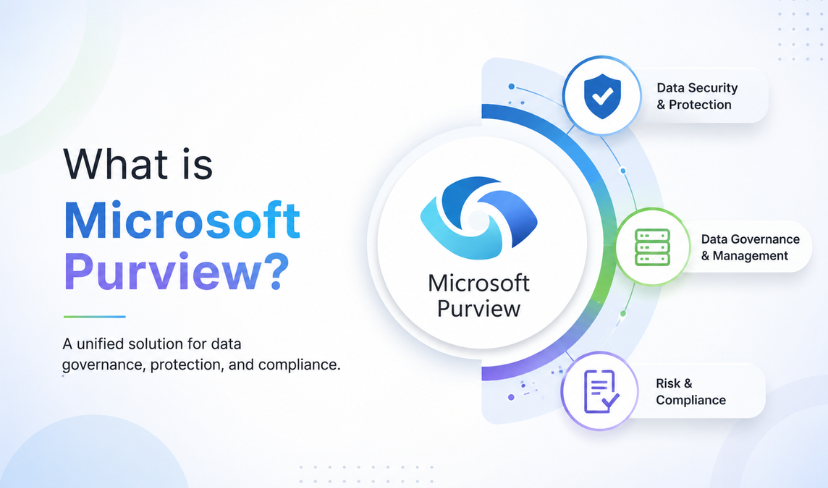
Microsoft Purview is Microsoft’s bundle of data security, governance and compliance tools for Microsoft 365, Azure, on-premises systems and other clouds. Most UK businesses running Microsoft 365 already own part of it and have never turned it on. Whether you need more than that depends on your data, not your headcount.
That distinction matters, because the usual pitch for this product is a feature list. A feature list tells you what exists. It does not tell you whether your organisation has the data, the obligations or the appetite to run any of it.
This guide covers what the platform does, which parts sit dormant inside licences you already pay for, and the cases where the honest answer is that you do not need most of it. Transputec includes Purview DLP in the security and compliance side of its Microsoft 365 managed services, and also offers a free Microsoft 365 health check, a 30 minute call with an M365 admin that reviews your tenant and flags the top three risks.
Purview is less a product you buy than a set of controls you switch on, and the only question worth answering is which of them your data actually justifies.
What Microsoft Purview Actually Is
Microsoft describes it as a set of solutions that help organisations “govern, protect, and manage data in the era of AI”, wherever that data lives. Strip the phrasing back and it is three groups of tools sharing one admin portal and one classification engine.
The three groups are data security, data governance and data compliance. They are genuinely different jobs, and most teams only ever need one of them properly.
| Area | What sits inside it | The question it answers |
|---|---|---|
| Data security | Information Protection, Data Loss Prevention, Insider Risk Management, Information Barriers, Privileged Access Management, Data Security Investigations | Who can reach this file, and what happens when someone tries to move it |
| Data governance | Data Map, Unified Catalog | What data do we hold, and where does it actually live |
| Data compliance | Audit, eDiscovery, Compliance Manager, Communication Compliance, Data Lifecycle Management, Records Management | Can we prove what happened, and retain or delete it correctly |
The governance half is the part that was once sold separately, and Microsoft’s own data governance documentation is the place to go for the catalogue and mapping detail. Underneath all three groups sit the shared pieces: classifiers, sensitivity labels, connectors and the activity and data explorers. Those shared pieces are where almost every successful rollout starts, because nothing else works until data is labelled.
One caveat on the newest component. Data Security Posture Management, the dashboard that pulls the other solutions into a single view of risk, is still described by Microsoft as being in preview. Treat it as useful for orientation rather than as the control you build a compliance position on.
Why Copilot Changed the Urgency
There is a widespread assumption that Microsoft 365 Copilot reaches across your tenant and reads everything. It does not, and the real mechanism is more uncomfortable.
Microsoft’s documentation is explicit. AI apps use existing controls so that data in your tenant is never returned to a user, or used by a large language model, if that user does not already have access to it. Copilot honours the permissions you have. That is the reassuring half.
The other half is that Microsoft also states that because of the speed at which AI surfaces content, generative AI amplifies the risk of oversharing or leaking data. Read those two statements together and the problem becomes clear. Copilot does not break your permissions. It exercises them, instantly and at scale, including the ones somebody set up in 2019 and forgot.
A SharePoint site shared with everyone in the organisation was always a problem. It was just a quiet one, because finding it meant someone had to go looking. Ask a chat assistant a direct question about salaries or restructuring and the same file surfaces in seconds.
So the order of operations matters. Labelling and permission tidying before a Microsoft Modern Workplace rollout is cheaper than doing it afterwards with an incident to explain. Microsoft’s own guidance points the same way: it recommends enabling sensitivity labels for SharePoint and OneDrive, and notes that without that step the encrypted files Copilot and agents can reach are limited to data in use inside Office apps on Windows. If you are at the stage of working out what to do after a Copilot trial ends, this is the work that should happen before you scale it.
Not sure which Purview controls you already own
Most Microsoft 365 tenants are licensed for more Microsoft Purview capability than they have switched on. Transputec provides Purview support alongside its Microsoft 365 managed services, and the free Microsoft 365 health check is a 30 minute call with an M365 admin that reviews your tenant and flags the top three risks.
Get a Strategic ConsultationThe Parts You Probably Already Own
This is the part that annoys people, in a useful way. A good share of what gets pitched as a new purchase is already sitting in the tenant, switched off.
Sensitivity labels are the clearest example. They let you mark a document as confidential, and the marking travels with the file rather than living in the folder it happened to be saved in. Where a label applies encryption, a user needs the EXTRACT right as well as VIEW before an AI app will return that content. That single control does more for data protection than most tooling bought to solve the same problem.
Data Loss Prevention is the second. It inspects content and enforces rules on what can leave, across email, Teams, SharePoint and managed endpoints. On Windows devices onboarded to the service, endpoint DLP can warn or block someone sharing sensitive data with third-party generative AI sites in a browser. Microsoft’s worked example is a user being stopped from pasting credit card numbers into ChatGPT.
Audit is the third, and the least glamorous. Prompts and responses from Copilot and other supported AI apps are written to the unified audit log, and because they are stored in the user’s mailbox they can be searched through eDiscovery. If you are ever asked to reconstruct what an assistant was asked and what it returned, that is where the answer lives. You cannot create that record retrospectively, which is the argument for switching it on before you think you need it.
How It Decides What Counts as Sensitive
Classification sits under everything else, and it is worth understanding because this is where most of the tuning effort goes.
Sensitive information types are pattern-based classifiers. They look for things like card numbers, national identifiers and bank details, using a primary pattern plus supporting evidence that has to appear within a set distance in the text. Microsoft ships a large number of them and lets you build your own. There is a second route through trainable classifiers, which use machine learning for content that no pattern describes well, and a third through named entity types that detect person names, physical addresses and medical terms.
Each pattern carries a confidence level: low, medium or high, with values of 65, 75 and 85. High confidence returns the fewest false positives but misses more. Low confidence catches almost everything and buries you in noise. Microsoft’s own guidance is to pair high confidence patterns with low match counts and low confidence patterns with higher counts, which is a more practical rule than it first sounds.
One operational detail catches people out. Endpoint DLP evaluates files against every sensitive information type present in the tenant, whether or not a policy uses it. Microsoft warns this can generate excessive classification traffic when those types are not tuned. Unused and overly broad custom types are worth removing rather than leaving in place.
Who Needs Microsoft Purview, and Who Does Not
Most articles on this subject never answer this, so here is a straight attempt.
You probably do need a deliberate approach if any of the following is true. You hold personal data at volume, in healthcare, financial services, legal or the public sector. You are regulated in a way that requires you to evidence controls rather than assert them, and the ICO’s UK GDPR guidance is the reference point for what that means in practice. You are deploying Copilot or agents across a tenant whose permissions nobody has audited. You have had a near miss involving a leaver, a shared mailbox or a file that went somewhere it should not. Or you have a legal obligation that currently depends on somebody manually searching mailboxes.
You probably do not need most of it if you are a small team on Business Premium with no regulated data, no immediate AI rollout, and a flat SharePoint structure that two people understand completely. Turning on labels and a light DLP policy in warning mode is proportionate. Buying into insider risk management and records management is not, and the configuration burden will outlast your enthusiasm.
The honest failure mode here is not underspending. It is a half-configured deployment that nobody owns, generating alerts nobody reads, which gives the board a false sense that data governance is handled.
It Is Not Only About Copilot
Most coverage of this subject assumes the only AI in your organisation is Microsoft’s. That is rarely true, and the controls reach further than people expect.
Microsoft Purview groups supported AI apps into three categories. Copilot experiences and agents covers Microsoft 365 Copilot, Security Copilot, Copilot in Fabric and Copilot Studio. Enterprise AI apps covers things connected to your organisation through registration or data connectors, and Microsoft’s own documentation names ChatGPT Enterprise, Anthropic Claude Enterprise and Microsoft Foundry in that group. The third category, other AI apps, is detected through browser activity and includes consumer services such as ChatGPT, Google Gemini and DeepSeek.
That third category is the one worth sitting with. It is the shadow AI problem, and it is the reason endpoint DLP policies that warn or block pasting into a browser matter more than a policy document telling staff not to do it.
Insider Risk Management adds a policy template aimed specifically at risky AI usage, covering prompt injection attempts and access to protected material. Compliance Manager carries regulatory templates for AI obligations, so the assessment work is not something you have to invent from scratch.
Where Rollouts Go Wrong
Three patterns account for most of the trouble with a Microsoft Purview rollout.
The first is blocking before measuring. A DLP policy in enforcement mode on day one breaks legitimate work, and the fastest route to losing organisational support is an accounts team that cannot send an invoice. Run policies in audit or warning mode first, read what they catch for a few weeks, then tighten from evidence rather than from assumption.
The second is labelling everything. A taxonomy with fourteen labels is a taxonomy nobody applies. Three or four that map to how the business already talks about its information will survive contact with users. Anything more becomes a dropdown people pick at random.
The third is treating it as a project with an end date. The risky AI usage template is a live threat model, not a one-off configuration, and it needs somebody reviewing what it surfaces. If no name is attached to that review, the deployment quietly stops meaning anything within a quarter.
A Sensible Order to Do This In
The sequence that works is unglamorous and roughly the same everywhere.
Start by finding out what you have. Run classification across Microsoft 365 and look at the content explorer output before writing a single policy, because the result usually reframes the conversation. Then enable sensitivity labels, including for SharePoint and OneDrive, with a deliberately short label set. Then add DLP in audit mode and leave it there long enough to learn something. Only then enforce, and only on the rules the evidence supports.
Audit and eDiscovery are worth switching on early regardless, because they cost nothing operationally. Compliance Manager becomes useful once there is something to score.
Capability does vary by licence, and not always where you would expect. Credential scanning types, for instance, require E5. Which licence covers which control is a longer subject than it looks and deserves its own treatment rather than a paragraph here.
Transputec provides Microsoft Purview support alongside its Microsoft 365 managed services, where the audit and baseline phase runs a full tenant assessment across licensing, identity, security posture and known issues and produces a costed remediation plan. That assessment is where a decision about which controls your data justifies can actually be made.
The Short Version
Microsoft Purview is a set of data security, governance and compliance controls, most of which you may already be licensed for and almost none of which are on by default. The arrival of Copilot has not created a new risk so much as removed the obscurity that made an old one tolerable.
If you are rolling out AI across a tenant whose permissions have never been audited, the labelling and classification work is not optional, and it is cheaper before launch than after. If you are a small team with no regulated data, a short label set and a DLP policy in warning mode is a proportionate answer, and you can ignore the rest with a clear conscience.
Transputec’s Microsoft 365 managed services team can talk you through the data protection work behind a Purview rollout, including which controls your licences already cover.
FAQs
Is Microsoft Purview part of Microsoft 365?
Partly. Several Purview controls, including sensitivity labels, Data Loss Prevention and Audit, are delivered through Microsoft 365 and are available to tenants on the relevant plans without a separate product purchase. Other capabilities, and some specific features within them, depend on higher tiers or add-ons. The practical answer is that you almost certainly own some of it already and will not own all of it.
Do we need Microsoft Purview before deploying Microsoft 365 Copilot?
You need the data work it enables, which is not quite the same thing. Copilot respects existing permissions and will not return content a user cannot already open. The risk is that broad historic permissions become visible at speed. Auditing sharing, applying sensitivity labels and enabling those labels for SharePoint and OneDrive before rollout addresses that directly, and is considerably easier before launch than after an incident.
Is Microsoft Purview free?
No, though it is often already paid for. The controls are licensed as part of Microsoft 365 plans and add-ons rather than sold as a standalone subscription, so the common experience is finding that capability exists in a licence you hold and has never been configured. Specific features do sit behind higher tiers, so entitlement is worth checking against your own tenant before planning any work.
What is the difference between Microsoft Purview and Azure Purview?
They are the same lineage under different names. The data cataloguing and mapping product once sold as Azure Purview now sits inside the platform as the Data Map and Unified Catalog, alongside the data security and compliance solutions that came from the older compliance centre. If you are reading documentation that still says Azure Purview, you are reading about the governance half of the current product.
Does it only cover Microsoft 365 data?
No. Microsoft positions it as covering data wherever it lives, which in practice means Microsoft 365, Azure, on-premises systems and other clouds, with connectors for third-party sources. Coverage is deepest inside Microsoft 365 and thinner the further out you go, so it is worth confirming what is genuinely supported for your own systems rather than assuming parity across the estate. Transputec covers Purview DLP as part of the security and compliance work in its Microsoft 365 managed services.
This article was drafted with AI assistance and reviewed by the Transputec team. Featured image: AI-generated.