When a remote employee returns a company laptop, most IT teams run a factory reset and consider the job done. It feels like the responsible step. But is a factory reset enough to wipe a company laptop? The short answer is no, and the consequences of assuming otherwise are significant for any UK organisation managing a distributed workforce.
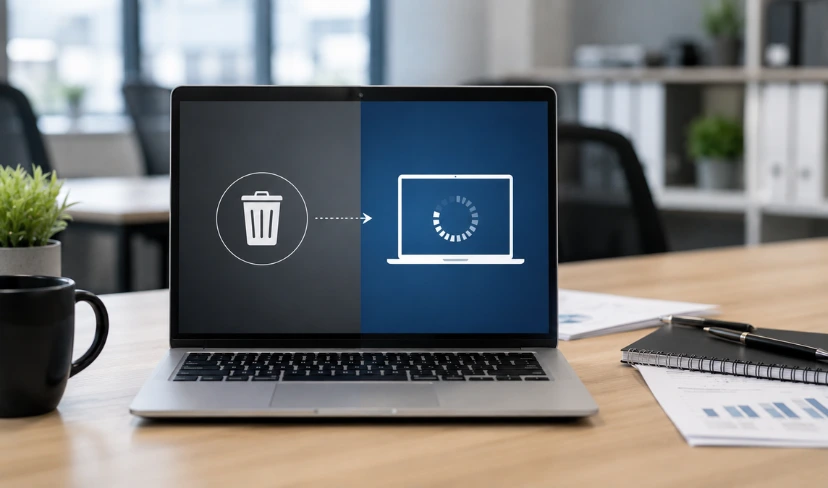
A factory reset restores a device to its default state and removes visible user data. What it does not do is overwrite the physical storage sectors where deleted files remain fully recoverable using standard forensic tools. For an organisation managing dozens or hundreds of returned devices from remote employees, this is not a minor gap. It is a data protection risk sitting quietly inside every returned machine.
Can a company laptop that has stored employee personal information, client records, or corporate emails be completely erased with a factory reset? The response must be proven, not presumed, in accordance with UK GDPR. A device that looks clean to a normal user is not the same as a device from which data has been securely erased to an auditable standard.
This guide explains what a factory reset actually does to stored data, what secure data wiping laptops in the UK standards require, and how organisations with remote employees can close the gap between assumption and documented compliance.
What a Factory Reset Actually Removes
When you perform a factory reset, the operating system removes the logical file structure from the drive and marks those storage sectors as available for reuse. The files themselves are not deleted. From the user’s perspective everything looks gone. From the storage perspective, the data is still physically present until something new overwrites those sectors.
On a traditional hard disk drive, the original files remain on the platters. On a solid-state drive, the behaviour is shaped by how NAND flash manages write operations, but the principle holds: marking sectors as available is not the same as erasing them. Forensic recovery tools that bypass the operating system can read raw sector data and reconstruct files, emails, saved passwords, VPN configurations, and browser history from a device that appears completely blank to any normal user.
What happens to data after a factory reset laptop is therefore not what most IT managers assume. The device looks clean. The data is not gone. A motivated attacker, a careless resale process, or an uncontrolled device in transit could expose corporate information from a machine that IT has already marked as cleared.
Why Remote Laptop Offboarding Amplifies the Risk?
For office-based offboarding, IT teams can intercept a device at the point of return. There is a controlled handover, an immediate wipe, and a clear chain of custody. Remote employee offboarding removes all of those controls.
A laptop returned by post travels through courier systems, loading bays, and reception desks before it reaches IT. There is no verification of the device’s state at collection. There is no way to confirm what the employee did with it before packing it up. There is no oversight of the physical journey. By the time IT takes possession, days or weeks may have passed and the device has been in multiple pairs of hands.
For organisations managing secure data wiping laptops UK-wide across a distributed remote workforce, this represents a genuine and often underestimated compliance risk. UK GDPR places data protection obligations on personal data throughout its lifecycle, including at the point of device decommissioning. A returned laptop that has not been certified as properly wiped is, in regulatory terms, a device still under your control with recoverable personal data on it.
Not Sure Your Returned Laptops Are Really Secure?
Transputec works with IT teams across the UK to implement certified data wiping processes for remote employee offboarding, giving you a documented, compliant record for every returned device.
Get a Strategic ConsultationWhat NIST 800-88 Data Erasure Actually Requires?
NIST SP 800-88 is the US National Institute of Standards and Technology’s guidelines for media sanitisation, and it has become the reference standard for NIST 800-88 data erasure in the UK. While it originates from US federal policy, it is widely recognised internationally and used as a benchmark by UK security teams, regulators, and IT service providers.
The standard defines three categories of data sanitisation:
- Clear: Logical techniques that sanitise data in user-addressable storage. Broadly equivalent to a thorough format. Appropriate for internal device redeployment where data sensitivity is low.
- Purge: A more intensive process that makes recovery infeasible using state-of-the-art laboratory methods. For solid-state drives, this typically involves cryptographic erasure or firmware-level secure erase commands.
- Destroy: Physical destruction that renders the media completely unusable. Used when devices are being retired rather than redeployed.
For most remote employee offboarding scenarios, the required level is Purge or above. A standard factory reset does not meet even the Clear level of the NIST 800-88 laptop wipe standard UK guidance. The gap between what organisations typically do and what the standard actually requires is wide, and that gap is where data breach risk accumulates.
The UK National Cyber Security Centre’s device security guidance recommends selecting the erasure method based on the classification of data held on the device, which aligns closely with the NIST 800-88 framework of graded sanitisation levels.
How to Securely Wipe a Laptop Before Returning It?
Building a process for secure laptop data erasure for remote employees does not require specialist infrastructure. It requires a clear policy, approved tools, and a documentation workflow that creates an auditable record for every device.
The core steps are:
- Select certified erasure software. Tools certified to NIST 800-88 perform verified overwrite passes and generate a certificate of erasure for each device. The certificate includes the device serial number, the erasure standard applied, the date, and the operator. This is your evidence of compliance.
- Apply the correct sanitisation level. For laptops that have handled sensitive corporate data, email, or personal data about clients or employees, a Purge-level wipe is appropriate. For devices that handled only low-sensitivity workloads being redeployed internally, a Clear-level wipe may suffice.
- Establish a chain of custody. Document the device from the point of return to the point of certified wipe. This covers the period when the device is in transit or held at a collection point, which is when physical risk is highest.
- Retain the erasure certificate. Store the certificate alongside the device’s asset record. If a data subject access request or regulatory enquiry arises, this document is the evidence that the device was handled compliantly.
Transputec’s IT procurement and lifecycle management services include support for organisations that need a repeatable, documented process for remote employee offboarding, from certified data wiping through to disposal and redeployment tracking.
The Compliance Case for Certified Data Wiping Services
The question of whether is a factory reset enough to wipe a company laptop is not purely technical. It is a UK GDPR compliance question. The Information Commissioner’s Office expects organisations to demonstrate that personal data held on decommissioned devices has been properly managed, including at the point of erasure.
A certified data wiping service for returned laptops UK provides three things a factory reset cannot:
- Verified compliance: A certificate of erasure that documents the device identifier, the standard applied, and the date of wipe. This is the evidence an organisation would need to demonstrate compliant disposal under UK GDPR if challenged by the ICO.
- Reduced breach exposure: Data that has been properly sanitised to Purge level cannot be recovered. A device that has only been factory reset can still yield recoverable data to a motivated attacker or careless resale process.
- Process consistency: A certified service applies the same standard to every device, regardless of who handled the offboarding or when. Ad hoc processes based on individual judgement introduce variation that creates compliance gaps over time.
For UK organisations running secure data wiping laptops UK-wide programmes, working with an accredited provider gives you a defensible position should a regulatory review or incident investigation arise. Transputec’s cybersecurity services include device lifecycle support for organisations that need certified erasure built into their offboarding workflow.
Remote Worker Laptop Data Wipe Compliance: What Good Looks Like
Organisations that have built a mature approach to remote worker laptop data wipe compliance UK typically share a few common practices that distinguish them from those still relying on factory resets.
- Policy-level commitment. The IT security policy explicitly states that all decommissioned devices must be wiped to NIST 800-88 Purge level or destroyed. This is not left to individual discretion at offboarding time.
- Approved tooling. A specific certified erasure tool is documented in the policy. Staff and IT engineers do not use whatever comes to hand.
- Pre-return wiping for remote employees. Some organisations provide remote employees with approved erasure software and instructions for wiping their own device before dispatch. Others use a laptop data destruction service for offboarding UK that collects devices and performs the wipe centrally.
- Audit trail integration. Erasure certificates are stored in the asset management system against the device record, creating a continuous audit trail from procurement to disposal.
- Regular process review. The offboarding data wipe process is reviewed at least annually, or whenever there is a significant change to the remote workforce, the device estate, or the regulatory environment.
Building this kind of programme from scratch is manageable with the right partner. Transputec’s managed IT services include device lifecycle support that covers procurement, deployment, and certified disposal.
Common Gaps That Leave Organisations Exposed
Most IT teams understand in principle that secure data wiping laptops UK matters. The gaps tend to appear in execution, particularly around remote offboarding. The most common ones are:
- Relying on employees to return devices without guidance. Without a clear process communicated at the point of resignation or contract end, devices are returned with no wipe performed and no documentation in place.
- Using factory reset as the default. This is the most widespread gap. IT teams who know that is a factory reset enough to wipe a company laptop is the wrong answer, but proceed with a reset anyway because it is faster and more familiar than certified erasure, are trading compliance risk for convenience.
- No certificate of erasure. Even where a wipe is performed, if there is no documented record, the organisation has no evidence of compliant disposal. In the event of a breach or regulatory inquiry, undocumented processes offer no protection.
- Ignoring devices in storage. Returned laptops held in an IT store room for months before redeployment or disposal are still a data risk. Unwiped devices in storage represent dormant exposure that rarely gets audited.
Transputec’s IT procurement and lifecycle team works with UK organisations to identify and close these gaps, building compliant and repeatable offboarding processes.
Is Factory Reset Enough for Company Laptops? The Short Answer
The evidence is clear: is a factory reset enough to wipe a company laptop when that device has handled corporate data, personal information, or credentials? No. A factory reset is a device restoration method, not a data erasure method. Treating them as equivalent is a compliance gap that regulators, forensic investigators, and data breach insurers increasingly recognise and scrutinise.
For organisations with remote employees, the problem is harder to manage than for those with office-based staff, but it is not intractable. A clear policy, approved certified tools, and a documented process for every returned device are the foundations of defensible compliance.
Whether you need to build a process from scratch, audit your existing approach, or find a certified data wiping service for returned laptops UK, working with the right partner makes the difference between a programme that holds up under scrutiny and one that does not.
See also: How to audit your IT software licences for related guidance on managing your IT estate compliantly.
Conclusion
The assumption that is a factory reset enough to wipe a company laptop is a settled question has cost organisations more than they realise. Devices returned without verified erasure carry data that looks deleted but remains fully recoverable. For organisations with large remote workforces, this risk compounds with every offboarding cycle.
The fix is not complicated. Adopting a certified NIST 800-88 data erasure process, using approved tooling, and documenting every wipe creates a defensible record that protects the organisation legally and operationally. The barrier is usually not knowledge; it is the absence of a structured process applied consistently across every returned device.
Transputec works with IT leaders across the UK to build compliant, scalable device offboarding programmes. If you are not confident that your returned laptops are being handled to the right standard, now is the time to address it. Get in touch with our team to discuss how we can help.
FAQs
Is a factory reset enough to wipe a company laptop?
No. A factory reset restores the operating system and removes visible user data, but it does not overwrite the physical storage sectors where files remain recoverable using forensic tools. For company laptops handling corporate or personal data, secure data wiping to a recognised standard such as NIST 800-88 is required to make data genuinely unrecoverable before the device is returned, redeployed, or disposed of. IT leaders managing remote offboarding should not rely on a factory reset as a data erasure method. For support building a compliant process, Transputec’s cybersecurity team can help.
What happens to data after a factory reset on a laptop?
After a factory reset, your files are not deleted. The operating system removes the pointers to them and marks the storage sectors as available for reuse, but the underlying data remains physically present on the drive. Forensic software that reads raw storage directly, bypassing the operating system, can reconstruct those files. A device that appears blank to a normal user may still contain recoverable emails, documents, credentials, and personal data. This is why a factory reset does not meet data protection standards for decommissioned company devices.
What is NIST 800-88 and does it apply to UK organisations?
NIST SP 800-88 is the US National Institute of Standards and Technology’s guidelines for media sanitisation, and it is widely adopted as an international benchmark for NIST 800-88 data erasure in the UK. It defines three sanitisation levels: Clear (logical erasure of user-addressable storage), Purge (making recovery infeasible using advanced laboratory techniques), and Destroy (physical destruction). UK organisations subject to UK GDPR use it as a reference framework because it provides a documented, auditable approach that can be cited as evidence of compliant data disposal. Most remote offboarding scenarios require Purge-level sanitisation as a minimum.
How do you securely wipe a laptop before returning it?
To securely wipe a laptop before returning it, use certified erasure software that meets NIST 800-88 or an equivalent standard, apply the appropriate sanitisation level for the sensitivity of the data the device has held, and generate a certificate of erasure recording the device serial number, the standard applied, and the date. The certificate should be retained against the device’s asset record. Transputec’s IT procurement team can help organisations build a repeatable, documented process for remote employee offboarding that covers every returned device.
What are the compliance risks of not properly wiping a returned laptop?
If a returned laptop is not properly wiped, recoverable data may include corporate emails, customer records, saved passwords, VPN configurations, and personal data subject to UK GDPR. Retaining recoverable personal data on a device that has left your control constitutes a data breach risk under UK GDPR, which the Information Commissioner’s Office can investigate. A documented, certified secure data wiping process provides the evidence needed to demonstrate compliance and reduces the risk of a reportable breach from a returned or lost device. Speak to Transputec about building a compliant device offboarding process.