If your Microsoft subscription is coming up for renewal, the rules have changed, and many businesses are only finding that out when their invoice arrives.
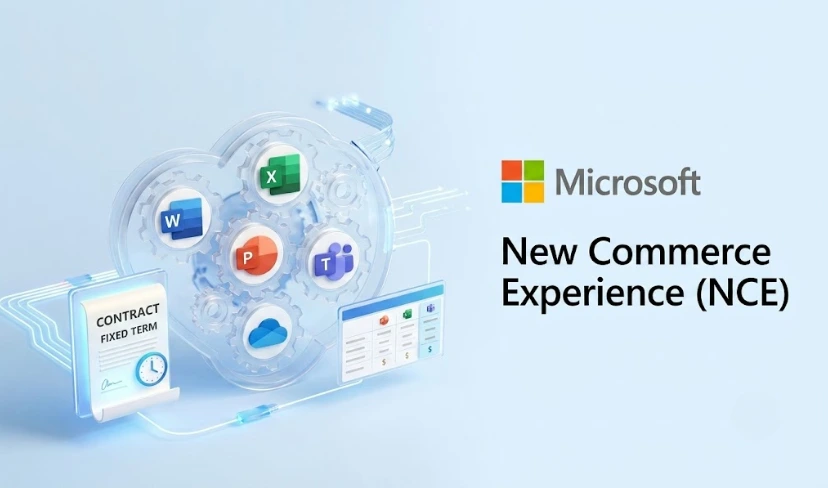
Microsoft New Commerce Experience (NCE) is Microsoft’s updated licensing framework that governs how businesses buy, manage, and renew Microsoft 365, Azure, Dynamics 365, and other cloud subscriptions through the Cloud Solution Provider (CSP) channel. It introduces fixed-term commitments, revised cancellation policies, and a new pricing structure that can significantly affect your IT budget.
For many organisations, the shift to NCE went largely unnoticed until renewal time. Understanding what has changed, and what options are available to you, is now a practical necessity rather than a nice-to-have.
What Is Microsoft New Commerce Experience?
Microsoft New Commerce Experience is the replacement for the legacy CSP subscription model. It standardises how cloud licences are purchased across Microsoft’s partner ecosystem and creates a more predictable commercial framework for both resellers and customers.
The core change is the move from month-to-month flexibility to structured commitment terms. Under NCE, customers choose between a monthly subscription (at a price premium), an annual commitment paid monthly, or an annual commitment paid upfront. Each option carries different pricing, flexibility, and cancellation terms.
That distinction matters. A monthly subscription gives you the ability to scale up or down, but you will pay more per licence. An annual commitment lowers the per-unit cost but ties you in for twelve months, with limited scope to reduce seat counts mid-term.
According to Microsoft’s official NCE documentation, annual-term pricing is typically around 20% lower than equivalent monthly subscriptions, making the financial case clear, provided your headcount is stable and your needs are predictable.
How NCE Changes the Renewal Process
Under the previous CSP model, subscriptions renewed automatically on a month-to-month basis with relatively few consequences for making changes. Microsoft New Commerce Experience tightens those terms considerably.
Once you commit to an annual term, you are locked into that seat count for the duration. You can add licences, but reducing them is not permitted until the anniversary date. If your workforce changes mid-year, you are paying for seats you no longer need.
There is also a 72-hour cancellation window after a new subscription is placed. Outside of that period, cancellations and reductions are not available until the term ends. This is one of the most significant practical changes under NCE and one that catches businesses off-guard most often.
Not Sure How NCE Affects Your Renewal?
Transputec helps businesses navigate Microsoft licensing changes with clear advice and no jargon. Speak with our team before your next renewal date to understand your options and avoid unexpected costs.
Get a Strategic ConsultationUnderstanding the Commitment Options
When renewing under the Microsoft New Commerce Experience framework, you will encounter three main term structures. Each suits a different type of organisation and usage pattern.
- Monthly subscription: Highest per-licence cost, maximum flexibility. Suited to businesses with variable or unpredictable headcount.
- Annual subscription paid monthly: Mid-tier pricing with annual commitment. Good for businesses with stable teams who prefer to spread costs across the year.
- Annual subscription paid upfront: Lowest per-licence cost. Suited to organisations with fixed budgets and predictable licence requirements.
The right choice depends on your growth plans, cashflow, and how frequently your Microsoft 365 licence requirements change. Getting this wrong can mean overpaying for twelve months or being caught short on budget.
The Impact on Pricing and IT Budgets
One of the most practical concerns for IT Managers and finance teams is what Microsoft licensing changes mean for forecasting.
NCE makes annual budgeting more predictable in some ways. If you lock in an annual term, your per-seat cost is fixed for that period. Price changes that Microsoft introduces during the year do not affect your existing commitment.
The complexity arises when your organisation grows. Adding new users mid-term means those licences carry the current price at the time of purchase, which may differ from the rate you locked in at the start of the term. You can end up with multiple licence tiers at different prices within the same estate.
For businesses managing multiple products across Microsoft 365, Dynamics 365, and Azure, this can make licence reconciliation a significant administrative task without the right tools or partner support in place.
Renewals Through a Microsoft Partner
Most UK businesses purchase Microsoft licences through a Cloud Solution Provider (CSP) partner rather than directly from Microsoft. Under Microsoft New Commerce Experience, your partner plays a key role in managing your subscription terms, renewal dates, and any changes to your licence estate.
Choosing the right partner matters more now than it did under the legacy model. A proactive CSP will alert you ahead of renewal, walk through your options, and help you structure your licences in a way that matches your actual usage, not just the default renewal path.
Transputec is a Microsoft Solutions Partner with deep expertise in Microsoft subscription management and licensing strategy. Our team reviews client licence estates ahead of each renewal window, identifies where savings are available, and handles the administrative complexity on your behalf.
Common mistakes businesses make at renewal:
- Auto-renewing without reviewing seat counts: Many businesses have licences assigned to leavers or unused accounts. Renewing on the same terms locks in that waste for another twelve months.
- Choosing monthly for the wrong reasons: Without a genuine need for that flexibility, the premium adds up across a full year.
- Missing the renewal window: Changes must be made before the renewal date. Missing it means your subscription carries over on its current terms without amendment.
- Overlooking multi-product alignment: Businesses using a mix of Microsoft products often have different renewal dates. Aligning them can simplify management and unlock better commercial terms.
What to Do Before Your Next Microsoft 365 Renewal
Preparation is the most effective way to get value from a Microsoft renewal under the NCE framework. A review four to six weeks before your renewal date gives you enough time to make informed decisions without rushing.
Start with a usage audit. Pull a licence report from the Microsoft 365 admin centre and identify active versus inactive users. Remove unassigned or dormant licences before the renewal to avoid carrying unnecessary cost into the next term.
Next, review your commitment term. Does your current structure still reflect your business direction? If you are planning to grow, an annual paid-upfront deal may no longer be the right fit. If headcount has stabilised, moving from monthly to annual under Microsoft New Commerce Experience could generate meaningful savings.
Finally, speak with your Microsoft partner before, rather than after, the renewal triggers. Once the new term begins, your options narrow considerably.
For a broader view of how Microsoft subscription management fits into your IT strategy, visit our Microsoft 365 managed services page or read our guide on Microsoft 365 licensing for SMEs.
Conclusion
The shift to Microsoft New Commerce Experience has changed what renewal means in practice. Fixed terms, revised cancellation rights, and a more structured pricing model require businesses to plan ahead rather than rely on the flexibility that the old CSP model allowed.
Organisations that take the time to review their licence estate, understand their commitment options, and work with the right partner are better placed to control costs and avoid the pitfalls that catch others out at renewal time.
Transputec works with businesses across the UK to take the complexity out of Microsoft licensing. Whether you are approaching your first NCE renewal or looking to renegotiate your current terms, our team can help you make the right call. Get in touch with us today to start the conversation.
FAQs
What is Microsoft New Commerce Experience and who does it affect?
Microsoft New Commerce Experience (NCE) is Microsoft’s updated licensing framework for cloud subscriptions purchased through the CSP channel, including Microsoft 365, Dynamics 365, and Azure. It affects any business that buys or renews Microsoft licences through a Cloud Solution Provider partner rather than directly from Microsoft.
How does Microsoft NCE affect my renewal costs?
Under Microsoft New Commerce Experience, annual commitments offer lower per-licence pricing than monthly subscriptions, typically around 20% less. Annual terms remove the ability to reduce seat counts mid-term, so businesses need to review their actual usage before committing to avoid paying for licences they do not use. Read our guide on Microsoft 365 licensing for SMEs for more context on managing costs.
Can I cancel a Microsoft 365 subscription under NCE?
Yes, but only within a 72-hour window after the subscription is created. After that period, cancellations and seat reductions are not available until the annual term ends. This is a significant change from the legacy CSP model and one of the most important aspects of Microsoft licensing changes under NCE to understand before committing.
What happens if I need to add users mid-term under Microsoft New Commerce Experience?
You can add new licences at any point during your annual term. The additional seats will be priced at the current rate at the time of purchase, which may differ from the rate you locked in at the start of the term. You cannot reduce your overall seat count until the renewal date arrives.
How can Transputec help with my Microsoft NCE renewal?
Transputec is a Microsoft Solutions Partner that manages licence renewals, usage audits, and commercial strategy for businesses across the UK. Our team reviews your estate ahead of each renewal window, identifies the right commitment structure for your needs, and handles the administrative side of Microsoft subscription management on your behalf. Contact us to discuss your upcoming renewal.