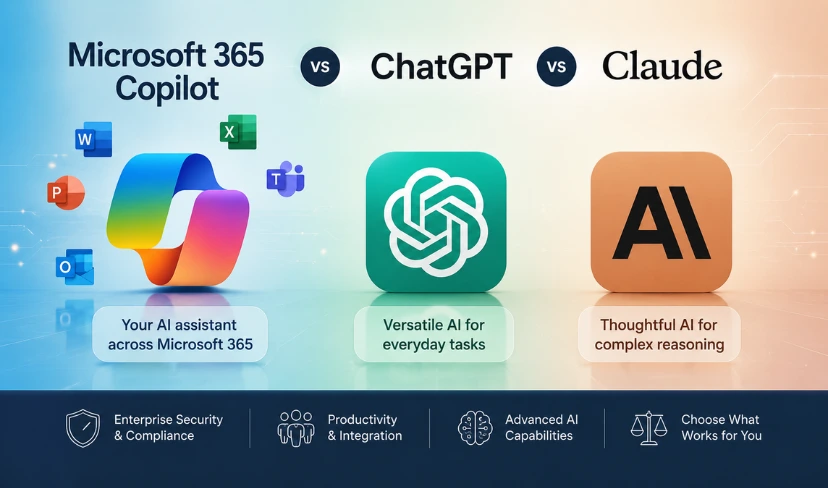
Most businesses evaluating Microsoft Copilot vs ChatGPT vs Claude are making the decision based on marketing materials rather than a clear understanding of what each tool actually does day-to-day.
Microsoft Copilot, ChatGPT, and Claude are the three dominant AI assistants competing for business adoption in 2025 and 2026. Microsoft 365 Copilot is embedded directly into Microsoft 365 apps such as Word, Excel, Outlook, and Teams. ChatGPT, developed by OpenAI, is a general-purpose AI available via browser, API, and mobile apps. Claude, developed by Anthropic, is designed for complex reasoning, long-document analysis, and tasks requiring careful, nuanced output.
The choice matters because each tool is built on a different philosophy and integrates with your existing systems in a fundamentally different way. For IT leaders in UK SMEs and enterprise organisations, the wrong decision costs money, delays productivity improvements, and creates support overhead. The right one accelerates meaningful work from day one.
What Is the Difference Between Microsoft 365 Copilot, ChatGPT, and Claude?
Microsoft Copilot is not a standalone AI product; it is a layer built into Microsoft 365 apps that surfaces AI capabilities within the tools your organisation already uses. It works across Word, Excel, Outlook, Teams, PowerPoint, and the wider Microsoft 365 ecosystem. The core value proposition is context: Copilot can reference your actual emails, documents, and meetings to produce output specific to your organisation’s work.
ChatGPT, built by OpenAI, is the most widely recognised AI tool in business use today. It functions as a general-purpose AI assistant capable of drafting content, answering questions, writing code, summarising documents, and performing a wide range of text-based tasks. It is available through a browser, mobile app, or via API for custom integrations.
Claude, developed by Anthropic, is an AI built for careful, nuanced reasoning. It handles longer documents than most AI tools, responds with lower rates of hallucination on complex tasks, and is designed to behave predictably when given precise instructions. It is available via Claude.ai and through API access.
Why Choosing the Right AI Tool Matters for Your Business
The decision is not simply about which AI generates the most impressive demo. It is about which tool fits how your teams actually work, what your data security obligations are, and what realistic productivity gains you can achieve within the next six to twelve months.
Purchasing the wrong tool means paying for licences your teams do not use, investing in training that does not transfer to meaningful output, and potentially introducing data handling risks that conflict with your organisation’s compliance obligations.
For IT leaders running a Microsoft Copilot vs ChatGPT vs Claude evaluation, the questions to answer before committing are more operational than technical: which workflows need AI support, which teams will adopt a new tool, and which data governance requirements apply to your sector.
Not Sure Which AI Tool Is Right for Your Business?
Transputec helps UK businesses navigate the Microsoft Copilot vs ChatGPT vs Claude decision with clarity. We assess your existing Microsoft 365 configuration, your team's workflows, and your security requirements to advise on the right approach for your organisation.
Get a Strategic ConsultationMicrosoft 365 Copilot: What It Does and Who It Is Built For
Microsoft 365 Copilot is licensed per user on top of a qualifying Microsoft 365 plan. It requires Microsoft 365 Business Standard, Business Premium, or an Enterprise E3 or E5 plan to activate. The best AI tool for business within the Microsoft ecosystem depends on how heavily your teams use Microsoft 365 apps day to day.
What Copilot does well is contextual work within the Microsoft 365 ecosystem. In Outlook, it drafts and summarises emails. In Teams, it produces meeting summaries and action items from live transcripts. In Excel, it interprets data and generates formula suggestions from natural language prompts. In Word, it drafts, edits, and rewrites documents using your own internal content as context.
What it does not do well is general-purpose reasoning, long-document analysis outside of Microsoft apps, or tasks that require access to information beyond your Microsoft 365 tenant. It is a productivity layer, not a standalone AI assistant.
For organisations deeply embedded in Microsoft 365 where the primary use case is automating repetitive Office tasks, Copilot is the strongest candidate. For those looking for broader AI capability outside the Microsoft suite, it is one tool among several that should feature in any Microsoft 365 Copilot review.
See our guide to Microsoft 365 add-ons to understand how Copilot fits into your existing licencing stack, and our Microsoft 365 Business plan comparison for the plan requirements needed to activate it.
ChatGPT for Business: Strengths, Limitations, and Real-World Use
ChatGPT for business is the most versatile of the three tools in any Microsoft Copilot vs ChatGPT vs Claude comparison. With a ChatGPT Team or Enterprise subscription, it provides access to GPT-4o, supports custom GPTs built around your business workflows, offers data analysis through its Advanced Data Analysis mode, and integrates with third-party tools via plugins and API.
For businesses without a standardised Microsoft 365 environment, or for teams that need AI assistance across a variety of tasks including content creation, customer communication, code review, and research, ChatGPT offers the widest initial capability range.
The primary concern for enterprise adoption is data handling. ChatGPT Team and Enterprise plans process conversations with privacy protections in place and do not use your data for model training. For UK organisations with sector-specific compliance requirements under FCA rules, ICO guidance, or NHS data governance frameworks, the data residency and processing arrangements should be reviewed carefully before deployment.
ChatGPT also integrates with OpenAI’s enterprise tools for organisations that need more control over deployment and user access. AI productivity tools for IT teams often include ChatGPT as a first evaluation, given its widespread familiarity and broad capability set.
Claude AI for Work: Where It Outperforms the Alternatives
Claude AI for work performs best in tasks that require careful reasoning over long documents, precise instruction-following, and output that needs to be consistent and predictable across multiple uses. Its context window is one of the longest available commercially, making it effective for legal document review, policy analysis, research synthesis, and detailed technical writing.
For IT teams and knowledge workers who need an AI that follows complex, multi-step instructions reliably and produces less erratic output than general-purpose tools, Claude’s design philosophy makes it worth evaluating as part of any structured Microsoft Copilot vs ChatGPT vs Claude assessment.
Claude is available through Anthropic’s Claude.ai platform, via API, and is embedded into Amazon Bedrock for enterprise deployments. UK businesses with AWS infrastructure can deploy Claude through Bedrock with data residency controls in place, which is a meaningful consideration for regulated sectors.
For organisations where output quality and instruction precision matter more than integration breadth, Claude often outperforms both Microsoft Copilot and ChatGPT on complex, structured tasks.
Microsoft Copilot vs ChatGPT vs Claude: A Direct Comparison
When evaluating Microsoft Copilot vs ChatGPT vs Claude, the decision framework should focus on three variables: integration, use case breadth, and data governance.
Microsoft 365 Copilot is the strongest choice where deep Microsoft 365 integration is the priority. It pulls context from your emails, documents, and meetings, making it uniquely suited to automating work that already lives in the Microsoft ecosystem. It is the narrowest of the three tools in scope, which is a strength if your use case fits it and a limitation if it does not.
ChatGPT (Team or Enterprise) covers the widest range of tasks. It handles content creation, research, data analysis, coding assistance, and customer communication tasks across industries. Its plugin ecosystem and API access make it the most adaptable of the three for custom business workflows.
Claude (Pro or Enterprise) is the most precise and consistent of the three for complex, structured tasks. It handles the longest documents, follows multi-step instructions with the greatest fidelity, and is designed for use cases where erratic output is a genuine operational risk.
No single tool wins across all categories in the Microsoft Copilot vs ChatGPT vs Claude comparison. Many UK organisations are running more than one tool in parallel, with each serving different team functions. The right configuration depends on your organisation’s workflows, existing infrastructure, and compliance obligations.
Microsoft’s official guidance on Microsoft 365 Copilot outlines the technical requirements and use cases in detail for organisations evaluating it as part of a wider AI strategy.
Which AI Tool Is Best for Your Business?
For organisations heavily invested in Microsoft 365 where the primary objective is automating repetitive tasks inside Office apps, Microsoft 365 Copilot is the most direct fit. The best AI assistant for SME teams already using Microsoft 365 Business Premium is typically Copilot, because it works within the environment they already know.
For organisations needing broad AI capability across content, communication, research, and development tasks without a fixed Microsoft dependency, ChatGPT Team or Enterprise provides the widest toolset and the most flexible starting point.
For organisations with high-stakes knowledge work, long-document processing, or a requirement for predictable, instruction-following AI behaviour, Claude is worth a structured evaluation alongside the other two tools.
Answering the question of which AI tool should your company use requires honest assessment of three things: where your teams spend most of their working time, what your IT infrastructure already supports, and what your compliance obligations permit. Transputec’s Managed IT Services include AI tool advisory as part of our strategic IT consulting offer for UK businesses.
Security and Compliance Considerations for UK Businesses
Before committing to any of the three tools, UK IT leaders should work through the following considerations:
- Data residency: Where is your data processed and stored? Microsoft 365 Copilot processes data within your Microsoft tenant, with data residency aligned to your existing Microsoft agreements. ChatGPT Enterprise and Claude Enterprise both offer contractual data protections, but both require due diligence on processing locations before deployment.
- Regulatory alignment: FCA-regulated firms, NHS organisations, and businesses handling personal data under UK GDPR have specific obligations around AI tool use. Each tool has different data handling commitments, and none should be deployed without a review of the vendor’s data processing agreements.
- Access control: Microsoft 365 Copilot inherits permissions from your existing Microsoft 365 configuration. If your permissions are not correctly scoped, Copilot can surface information that users should not have access to. This is a configuration risk, not a product flaw, but it requires attention before rollout.
- User adoption: The best AI tool for enterprise is the one your teams will actually use. Tool selection without an adoption plan produces low utilisation regardless of which product you choose.
For guidance on AI adoption in regulated environments, contact Transputec to discuss your specific requirements. Details of our certifications and compliance credentials are available on our certifications page.
Conclusion
The Microsoft Copilot vs ChatGPT vs Claude decision is, ultimately, a decision about how your organisation works and where AI can most quickly add measurable value.
If your teams live in Microsoft 365 and your primary goal is reducing time on repetitive Office tasks, Copilot is a strong candidate. If you need broader AI capability across a wide range of business functions, ChatGPT offers the most flexible starting point. If precision, long-document reasoning, and predictable output matter most, Claude is worth a dedicated evaluation.
What does not serve any UK business well is purchasing a tool based on brand recognition alone and expecting adoption to follow automatically. Every AI deployment requires a clear use case, appropriate configuration, and an ongoing review of whether the tool is delivering the returns the organisation set out to achieve.
Transputec works with UK businesses across sectors to assess AI tool fit, plan deployment, and ensure that every tool in the stack is correctly configured and actively delivering value. Whether you are starting an AI evaluation or reviewing a deployment that has not achieved the expected results, our team can advise on the right path forward.
Contact Transputec to discuss your AI tool strategy.
FAQs
What is the difference between Microsoft 365 Copilot and ChatGPT?
Microsoft 365 Copilot is embedded directly into Microsoft 365 apps such as Word, Excel, Outlook, and Teams, and works with your organisation’s own data within your Microsoft tenant. ChatGPT is a general-purpose AI assistant available via browser and API, with broader capability across content creation, research, coding, and analysis tasks that sit outside the Microsoft ecosystem. The key distinction in the Microsoft Copilot vs ChatGPT vs Claude comparison is integration: Copilot is a Microsoft-native productivity layer; ChatGPT is a standalone AI platform. For organisations embedded in Microsoft 365, Copilot delivers the most contextual output; for organisations that need broader AI capability, ChatGPT provides more flexibility.
Is Microsoft 365 Copilot worth the cost for SMEs?
It depends on how deeply your organisation uses Microsoft 365 apps day to day. Copilot adds the most value for teams that spend significant time in Outlook, Teams, Word, and Excel, where it automates repetitive drafting, summarisation, and analysis tasks. For SMEs where Microsoft 365 usage is limited to email and file storage, the per-user cost is difficult to justify. A licensing review that maps your current Microsoft 365 usage to Copilot’s feature set is the right starting point before committing. Contact Transputec to discuss whether Copilot is a fit for your organisation’s current plan and workflows.
Which AI tool is best for complex business tasks: ChatGPT or Claude?
For complex reasoning, long-document analysis, and tasks requiring precise instruction-following, Claude is generally the stronger performer in a Microsoft Copilot vs ChatGPT vs Claude comparison. Its large context window makes it effective for legal document review, policy analysis, and technical writing tasks where consistency matters. For versatile business tasks across a wider range of functions including content creation, customer communication, and data analysis, ChatGPT offers broader initial capability. The right choice depends on the specific use case. Contact Transputec to discuss which tool fits your requirements best.
Can UK businesses use ChatGPT and Claude safely under UK GDPR?
Both ChatGPT Team and Enterprise and Claude Enterprise include contractual data protections and do not use customer data for model training. UK businesses with obligations under UK GDPR, FCA rules, or sector-specific frameworks should review each vendor’s data processing agreement before deployment. Data residency and processing locations vary by plan and region, so a compliance review is advisable before committing to any of the three AI tools. For regulated sectors, Transputec can advise on how to structure your AI tool deployment to meet your specific obligations. See our certifications page for our compliance credentials.
Can you use Microsoft 365 Copilot and ChatGPT together?
Yes. Many UK organisations run multiple AI tools in parallel, with each serving different team functions. Microsoft 365 Copilot handles Microsoft-native workflow tasks; ChatGPT or Claude handle tasks outside the Microsoft suite such as content creation, research, and complex document analysis. The practical consideration is licence management and user training, as running multiple AI productivity tools for IT teams creates additional overhead. Transputec can advise on how to structure a multi-tool AI deployment to minimise complexity while maximising value. See our Managed IT Services for more detail on our AI advisory offer.