Most UK organisations running Microsoft 365 subscriptions are either paying for protections their base plan already provides, or missing capabilities that a targeted add-on would address for less than the cost of a full plan upgrade.
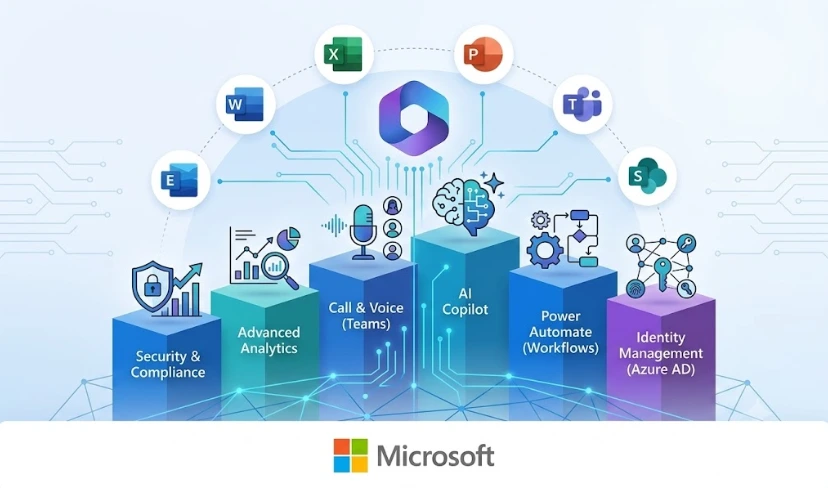
Microsoft 365 add-ons are optional paid modules purchased on top of a base Microsoft 365 subscription. They extend your plan’s capabilities in specific directions: endpoint security with Microsoft Defender for Business, data governance and compliance with Microsoft Purview, cloud telephony with Teams Phone, or productivity analytics with Microsoft Viva. The range of available Microsoft 365 add-ons changes regularly as Microsoft absorbs certain standalone modules into higher-tier plans, which is why a licensing review should always precede any new purchase decision.
For IT leaders in the UK, this creates a real decision point at every renewal: buy a specific capability as an add-on, or upgrade the plan tier and get it as part of a bundle? The answer depends on your current plan, the number of users affected, and what your organisation is actually trying to achieve.
What Are Microsoft 365 Add-Ons?
Microsoft 365 add-ons sit alongside a base plan such as Microsoft 365 Business Basic, Business Standard, or Business Premium. They allow organisations to unlock specific capabilities without upgrading every user’s licence to a higher tier.
In practice, the boundary between what is standard and what costs extra shifts by plan tier. Several features now built into Business Premium, including Microsoft Defender for Business and Azure Active Directory Premium P1, were once only available as separate purchases. Understanding what your current plan includes before adding anything new is the essential first step in any Microsoft 365 licensing review.
Microsoft 365 add-ons are also not universally compatible across all plan tiers. Some require a minimum base licence before they can be activated. Purchasing an incompatible add-on produces a licensing error rather than an active feature. Compatibility should always be confirmed before any purchase is completed.
Why a Licensing Review Should Come Before Any New Purchase
Organisations typically accumulate Microsoft 365 extras over time, responding to individual incidents or compliance requirements rather than following a planned architecture. The result is a licence stack that reflects a series of reactive decisions rather than a deliberate design.
A structured review of your current Microsoft 365 configuration typically surfaces one of three findings: capabilities you are paying for but not using, protections you assumed were active but were never configured, and genuine gaps where a specific add-on would deliver measurable value. All three have a cost implication, and all three are avoidable with the right analysis upfront.
Not Sure Which Microsoft 365 Add-Ons Your Organisation Actually Needs?
Transputec helps UK businesses cut through Microsoft licensing complexity. We assess what your base plan already covers, identify where genuine gaps exist, and advise whether purchasing Microsoft 365 add-ons or upgrading your plan tier is the most cost-effective route for your specific requirements.
Get a Strategic ConsultationWhich Microsoft 365 Add-Ons Are Included in Business Premium?
One of the most frequent questions in any Microsoft 365 add-ons review is: what does Business Premium already include, and what still requires a separate purchase?
Microsoft 365 Business Premium is the most comprehensive SME-tier plan. It includes Microsoft Defender for Business (endpoint detection and response for up to 300 users), Azure Active Directory Premium P1 (conditional access, MFA reporting, and self-service password reset), Microsoft Intune (mobile device management and app protection policies), and Azure Information Protection Plan 1 (basic sensitivity labelling). Users on Business Basic or Business Standard need to purchase each of these separately.
Capabilities that are missing even from Business Premium, and that typically drive further purchases, include:
- Microsoft Copilot for Microsoft 365: AI productivity assistant, licensed per user on top of any qualifying plan
- Teams Phone: Cloud telephony and calling plan functionality
- Advanced Microsoft Purview compliance features: eDiscovery, extended audit log retention, and advanced Data Loss Prevention beyond Exchange
- Microsoft Viva modules: Employee experience, wellbeing, and learning analytics
For a full comparison of what each Business plan tier includes, see our guide to Microsoft 365 Business Basic vs Standard vs Premium.
The M365 Defender Add-On: Do You Need to Buy It Separately?
Whether you need to purchase the M365 Defender add-on separately depends entirely on your base plan.
Microsoft Defender for Business is included in Microsoft 365 Business Premium at no additional cost. It provides endpoint detection and response, automated investigation and remediation, and threat and vulnerability management for up to 300 users.
If you are on Microsoft 365 Business Basic or Business Standard, Microsoft Defender for Business is not part of your plan. It is available as a standalone add-on, licensed per user. For organisations with more than 300 users, or those requiring enterprise-grade threat intelligence and cross-device endpoint visibility, Microsoft Defender for Endpoint Plan 1 or Plan 2 under Enterprise licensing is the relevant option, not the Business plan add-on.
The practical question is not whether you need endpoint protection: every organisation does. The question is whether your current plan already provides it, or whether the M365 Defender add-on is more cost-effective than upgrading your underlying plan. Transputec is a Microsoft Solutions Partner and can advise on the right Defender configuration for your organisation. Our Microsoft credentials are listed on our partners page.
Purview Add-On Pricing: What Microsoft Includes and What Costs Extra
Purview add-on pricing is one of the more complex areas of Microsoft 365 licensing. Microsoft Purview covers compliance, information protection, and data governance across Microsoft 365. What comes as standard and what costs extra depends on your plan tier.
Microsoft 365 Business Premium includes basic sensitivity labelling, 90-day audit log retention, manual retention policies, and basic Data Loss Prevention for Exchange. The following capabilities require additional purchase or an Enterprise plan upgrade:
- Advanced Audit: Extended audit log retention to one year (or up to ten years with additional licensing) and higher-bandwidth API access for security operations use cases
- Advanced eDiscovery: Case management, legal hold, and export tools beyond standard content search
- Automatic sensitivity labelling: Requires Microsoft Purview Information Protection Plan 2
- Advanced DLP: Cross-workload data loss prevention covering Teams, SharePoint, and endpoint devices requires Microsoft 365 E3 or specific Purview add-on licensing
- Compliance Manager premium assessments: Regulatory templates beyond the baseline set require the Compliance Manager premium add-on
For UK organisations with obligations under FCA rules, ICO guidance, or sector-specific regulatory frameworks, the compliance gaps in Business Premium are often what justify Purview add-on purchases. Our post on what Microsoft Purview is and whether your organisation needs it covers the full capability breakdown. The ICO’s UK GDPR guidance sets out the data governance obligations UK organisations need to map their Microsoft 365 compliance configuration against.
Microsoft 365 Add-On vs Upgrading to a Higher Plan: What the Maths Actually Shows
The question of whether to buy individual Microsoft 365 add-ons or upgrade to a higher plan is fundamentally a cost-per-user calculation. The inputs are not always obvious, but the decision framework is consistent.
Add-ons tend to be the more cost-effective choice when:
- You need one or two specific features not in your base plan
- The add-on is compatible with your current plan tier
- The per-user add-on cost is lower than the cost difference of upgrading all users to the next tier
- Not all users need the capability, meaning you can licence a subset rather than the whole organisation
Upgrading to a higher plan typically makes more financial sense when:
- You need three or more features that are all bundled into the next tier
- The combined cost of multiple add-ons exceeds the per-user cost difference of a plan upgrade
- You are approaching the 300-user ceiling that applies to all Microsoft 365 Business plans
- Simplified billing and consolidated support are organisational priorities
For many organisations on Business Standard, the maths often favours upgrading to Business Premium rather than separately purchasing Defender for Business, Intune, and Azure AD Premium P1. Business Premium’s per-user price typically comes in below the combined cost of those three standalone add-ons. See our comparison of Microsoft 365 E3 vs E5 vs E7 for how the calculation changes at Enterprise scale.
Common Microsoft 365 Extras That UK Businesses Buy Unnecessarily
One consistent finding in Microsoft 365 licensing audits is that organisations on Business Premium regularly purchase add-ons that their plan already includes. The three most common unnecessary purchases are:
- Microsoft Defender for Business: Included in Business Premium. Frequently purchased as a standalone add-on by IT teams who were not informed it was already licensed when Business Premium was deployed.
- Azure AD Premium P1: Included in Business Premium. Often purchased separately by organisations that upgraded from Business Standard and were not aware the feature was part of the new plan.
- Microsoft Intune: Included in Business Premium. Purchased as a standalone add-on when the existing Intune entitlement was activated during deployment.
These overlaps are avoidable. A structured licensing audit identifies duplicate coverage and quantifies the recoverable spend. Our guide to auditing your Microsoft 365 licences walks through the process step by step. Transputec’s Managed IT Services include Microsoft 365 licensing advisory as a standard component of our service.
Five Questions to Answer Before Buying Any Microsoft 365 Add-On
Before committing to any new Microsoft 365 add-ons, five questions should be answered:
- Is this capability already in your current plan? Check Microsoft’s feature comparison for your specific licence tier. Many features assumed to be paid extras are included in Business Premium and above.
- Is the add-on compatible with your plan? Some add-ons require a minimum plan tier. Purchasing an incompatible add-on produces a licensing error rather than an active feature.
- Do all users need it, or just a subset? Add-ons are typically licensed per user. If only your legal or compliance team needs advanced eDiscovery, you do not need to purchase it for every employee.
- Is a plan upgrade more cost-effective? Calculate the per-user add-on cost multiplied by the number of affected users, then compare it against the per-user cost difference of upgrading the whole organisation to the next plan tier.
- Will it be configured and managed? An add-on that is purchased but never configured delivers no security or compliance value. If your team does not have the capacity to implement and manage the new capability, factor a managed service into the plan.
If you need help working through these questions, contact Transputec to arrange a Microsoft 365 licensing review. Our team works with UK businesses across all plan tiers to ensure every purchased capability is correctly implemented and actively delivering value.
Conclusion
The difference between an efficient Microsoft 365 deployment and an expensive one usually comes down to one thing: clarity about what your base plan already includes before you start buying extras.
Getting your Microsoft 365 add-ons right is not just about reducing licence spend. It is about ensuring that every capability you are paying for is correctly configured and actively protecting or serving your organisation. A Defender licence with no active policies is not protecting anything. A Purview compliance tool that was never set up is not meeting any regulatory obligation.
Transputec works with UK businesses across all Microsoft 365 plan tiers to align licensing to real requirements and ensure every module in the stack is implemented effectively. Whether you are reviewing an existing licence stack, evaluating a plan upgrade, or trying to close a specific security or compliance gap, our team can advise on the right approach.
Contact Transputec to arrange a Microsoft 365 licensing review.
FAQs
Which Microsoft 365 add-ons are included in Business Premium?
Microsoft 365 Business Premium includes Microsoft Defender for Business, Azure Active Directory Premium P1, Microsoft Intune, and Azure Information Protection Plan 1 as standard. These are add-on purchases for users on Business Basic or Business Standard. Capabilities not included in Business Premium and typically requiring additional licensing are Microsoft Copilot for Microsoft 365, Teams Phone, advanced Microsoft Purview compliance features, and Microsoft Viva. For a full feature breakdown, see our guide to Microsoft 365 Business plans.
Do I need to buy Microsoft Defender separately with M365?
It depends on your plan. Microsoft Defender for Business is included in Microsoft 365 Business Premium at no additional cost. If you are on Business Basic or Business Standard, you need to purchase it as a standalone add-on, licensed per user. For organisations with more than 300 users, Microsoft Defender for Endpoint Plan 1 or Plan 2 under Enterprise licensing is the relevant option rather than the Business plan add-on.
Microsoft 365 add-on vs upgrading to a higher plan: which is more cost-effective?
If you need one or two specific features, an add-on is typically more cost-effective. If you need three or more features that are all bundled into the next plan tier, upgrading usually costs less per user than purchasing multiple standalone add-ons. The calculation also shifts if you are approaching the 300-user ceiling on Business plans. Transputec can run the numbers for your specific situation. Get in touch to arrange a licensing review.
What does Purview add-on pricing include for UK businesses?
Microsoft 365 Business Premium includes basic sensitivity labelling, 90-day audit log retention, manual retention policies, and basic Data Loss Prevention for Exchange as standard. Advanced Purview capabilities, such as extended audit log retention, eDiscovery, automatic sensitivity labelling, and cross-workload DLP, require Purview add-on purchases or an upgrade to Enterprise licensing. Whether Purview add-ons are cost-justified depends on your regulatory obligations under UK GDPR, FCA rules, or sector-specific frameworks. Our post on Microsoft Purview covers the full breakdown.
How do I know which Microsoft 365 extras I am already paying for?
The starting point is a Microsoft 365 licence audit: reviewing your active subscriptions in the Microsoft 365 Admin Centre, mapping each licence to its included features, and comparing that against what your organisation is actively using and has configured. It is a common finding that organisations on Business Premium are paying for add-ons their plan already covers. Our Microsoft 365 licence audit guide walks through how to approach this systematically.