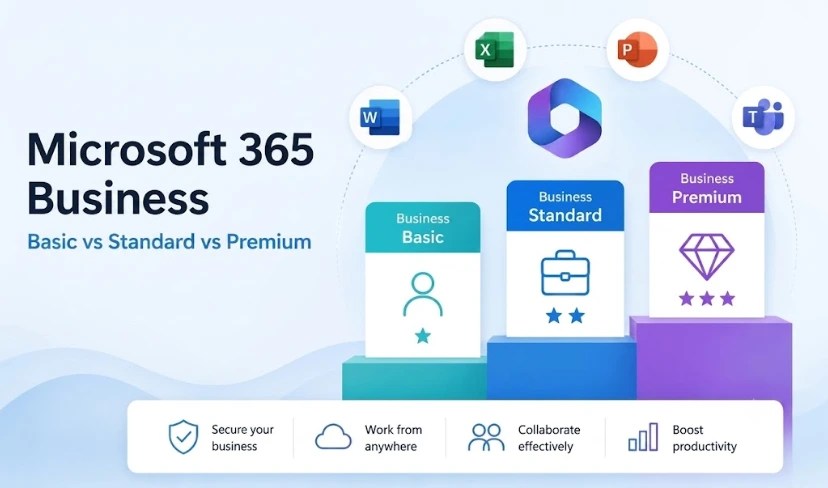
Choosing between Microsoft 365 Business Basic vs Standard vs Premium is one of the most common licensing decisions IT leaders and business owners face, and one of the most frequently overthought. Pick the wrong tier and you either pay for features your team never touches, or leave your users without the tools they need to work efficiently.
What is the difference between Microsoft 365 Business Basic, Standard and Premium? The three tiers cover the same core communication tools: Teams, Exchange email, SharePoint, and OneDrive. They diverge significantly on desktop Office applications and security capabilities. Basic covers cloud-only access to Office apps. Standard adds installed desktop apps on up to five devices per user. Premium layers in enterprise device management, endpoint security, and identity protection on top of everything in Standard.
The decision has become more pressing since Microsoft’s July 2026 pricing update. Business Basic rose by approximately 17% and Business Standard by approximately 12%. Business Premium did not change in price. That shift has moved the value calculation, making the Microsoft 365 Business Basic vs Standard vs Premium comparison worth revisiting even for organisations that settled the question twelve months ago.
What Each Plan Includes: Microsoft 365 Business Basic vs Standard vs Premium
All three plans share a common foundation. In any Microsoft 365 Business Basic vs Standard vs Premium comparison, you start from the same base: Exchange Online email, Microsoft Teams, SharePoint Online, OneDrive for Business, and access to web and mobile versions of core Office apps. The differences sit in three areas: desktop application access, security and compliance tools, and identity management capabilities.
The comparison becomes clearer when you understand the gap between each tier is not just about cost. It is about which users genuinely need the additional capability, and whether those capabilities are already being purchased separately through add-on licences.
Where Most Teams Get the Plan Decision Wrong
The most common mistake in an M365 plan comparison is assigning every user the same tier regardless of role. A finance manager who lives in desktop Excel has different needs to a customer service agent who works entirely in Teams and a browser. The best Microsoft 365 plan for small business is rarely a single plan applied uniformly. It is typically a mix of tiers aligned to actual working patterns.
This guide breaks down each plan, identifies the right user profile for each tier, and gives you a practical framework for making the decision, whether you manage five users or five hundred.
Not Sure Which Microsoft 365 Plan Your Team Actually Needs?
Transputec is a certified Microsoft Solutions Partner. We carry out licence assessments for UK businesses that want a clear view of which plan mix is right for their team, and what the actual cost difference looks like across their headcount.
Get a Strategic ConsultationMicrosoft 365 Business Basic: Cloud Access, No Desktop Apps
In the Microsoft 365 Business Basic vs Standard vs Premium comparison, Basic is the entry point. It covers everything a cloud-first business needs for communication and collaboration, without the installed desktop Office suite.
Business Basic includes:
- Exchange Online with 100GB mailbox per user
- Microsoft Teams for meetings, chat, and calls
- SharePoint Online for intranet sites and document libraries
- OneDrive with 1TB of storage per user
- Web and mobile versions of Word, Excel, PowerPoint, and Outlook
- Enhanced Copilot Chat with inbox and calendar awareness (added July 2026)
What Basic does not include is a locally installed Office client. Users can create, edit, and collaborate on documents in a browser, but there is no Outlook desktop, no Excel for Windows or Mac, and no offline access to Office files without a connection. For users whose work centres on Teams, email in a browser, and shared document storage, that is a workable setup. For anyone doing complex modelling, detailed document formatting, or professional presentation work, the absence of desktop apps is a material constraint.
Who is Business Basic right for? Task workers, frontline staff, customer service roles, part-time employees, and any user whose primary tools are Teams and browser-based communication. If the difference between Microsoft 365 Business Basic and Standard comes down to whether a user genuinely needs an installed Office client, Basic is the correct and more cost-effective choice for those who do not.
Microsoft 365 Business Standard: The Default for Knowledge Workers
In most M365 plan comparisons, Business Standard is where the majority of knowledge workers sit, and with good reason. It includes everything in Basic, plus fully installed desktop versions of Word, Excel, PowerPoint, Outlook, Access (PC only), and Publisher (PC only) on up to five devices per user.
Standard also adds:
- Teams webinar capabilities, including attendee registration and reporting
- Microsoft Bookings for customer scheduling
- Meeting recording, transcription, and intelligent recap in Teams
- Copilot Chat enhancements included in the July 2026 update
- 100GB mailbox per user
Standard is the right plan for any user who opens a desktop Office application as part of their regular working day. According to Microsoft’s activity reporting tools, you can pull an app usage report directly from the Microsoft 365 Admin Centre to see exactly which desktop apps your users have opened in the last 30 days. That data, not assumptions about job titles, should drive your plan allocation.
Following the July 2026 price increase of approximately 12%, Standard now sits at a higher price point. For organisations on Standard with security add-ons, the combined cost may be approaching Business Premium. Transputec’s Microsoft 365 services team carries out this cost modelling as part of a standard licence assessment.
Microsoft 365 Business Premium: When Security Justifies the Step Up
Business Premium is the part of the Microsoft 365 Business Basic vs Standard vs Premium comparison that causes most hesitation. It is the most expensive tier in the Business range, but following the July 2026 pricing update it is also the only plan that did not increase in cost, making the gap between Standard and Premium smaller than at any recent point.
Premium includes everything in Standard, plus:
- Microsoft Defender for Business: endpoint detection and response, vulnerability management, and automated investigation across Windows, Mac, iOS, and Android
- Microsoft Intune: mobile device management (MDM) and mobile application management (MAM) for corporate-owned and BYOD devices
- Azure Active Directory (Entra ID) Premium P1: conditional access policies, MFA enforcement, and self-service password reset
- Azure Information Protection Plan 1: sensitivity labels and rights management for documents and emails
- Microsoft Defender for Office 365 Plan 1: anti-phishing, safe links, and safe attachments across Teams, Outlook, and SharePoint
Is Microsoft 365 Business Premium worth the extra cost? For organisations managing their own endpoints, enforcing access policies, or handling sensitive data, the answer is almost always yes. The alternative is buying those security tools separately. Defender for Business, Intune, and Azure AD Premium P1 as standalone add-ons typically cost more combined than the price difference between Standard and Premium.
Transputec’s Microsoft Modern Workplace team regularly carries out this comparison for UK businesses, producing a clear side-by-side of Standard-plus-add-ons versus Premium so the decision is based on data rather than assumption.
Microsoft 365 Business Basic vs Standard vs Premium: Feature Comparison
Use the table below as a quick reference when running your M365 plan comparison. It covers the features that matter most for the Basic vs Standard vs Premium decision.
| Feature | Business Basic | Business Standard | Business Premium |
|---|---|---|---|
| Desktop Office Apps | ✗ | ✓ | ✓ |
| Web & Mobile Office Apps | ✓ | ✓ | ✓ |
| Microsoft Teams | ✓ | ✓ | ✓ |
| Exchange Online Mailbox | 100GB | 100GB | 100GB |
| OneDrive Storage | 1TB | 1TB | 1TB |
| Teams Webinars & Bookings | ✗ | ✓ | ✓ |
| Copilot Chat | ✓ | ✓ | ✓ |
| Microsoft Intune (MDM/MAM) | ✗ | ✗ | ✓ |
| Microsoft Defender for Business | ✗ | ✗ | ✓ |
| Azure AD Premium P1 (Entra ID) | ✗ | ✗ | ✓ |
| Defender for Office 365 Plan 1 | ✗ | ✗ | ✓ |
| Azure Information Protection P1 | ✗ | ✗ | ✓ |
| Price Change (July 2026) | +~17% | +~12% | Unchanged |
| Best For | Task workers & frontline staff | Knowledge workers | Managed endpoints & regulated data |
Choosing the Right Plan: A Practical Framework
Rather than picking one plan for the entire organisation, the most practical approach to the Microsoft 365 Business Basic vs Standard vs Premium decision is to segment users by type, then match each type to the appropriate tier. For a question like “which Microsoft 365 plan is best for 50 users”, the answer depends less on headcount and more on how those users actually work.
Step 1: Run a usage report
Pull the Microsoft 365 Apps usage report from the Admin Centre. It shows which desktop applications each user has opened in the past 30 days. Users who have not launched a desktop Office app are candidates for Basic. Users who open Outlook, Excel, or Word regularly belong on Standard.
Step 2: Assess your security posture
If your organisation handles regulated data, operates under frameworks such as Cyber Essentials Plus, or has remote or BYOD workers requiring managed device access, the endpoint management and identity features in Business Premium are not optional extras. If your security requirements are minimal and your estate is fully managed, Standard may be sufficient.
Step 3: Audit your existing add-ons
List every Microsoft add-on licence your organisation currently pays for, including Defender for Business, Intune, and Azure AD P1. If you carry two or more of these on top of Standard licences, you are likely at or near the cost of Premium already. Consolidating removes management overhead and closes coverage gaps between separately purchased tools.
Step 4: Apply per-user logic, not a one-size-fits-all approach
The best Microsoft 365 plan for small business is rarely a single tier applied universally. A professional services firm of 50 might run 40 users on Standard and 10 senior staff on Premium. A logistics company of 100 might mix Basic for warehouse staff, Standard for the operations team, and Premium for IT and finance. Microsoft licences can be mixed freely within a single tenant.
For the complete feature breakdown across all three tiers, Microsoft’s Business plan comparison page is a useful reference. Read it alongside your actual usage and add-on data for the clearest picture.
Conclusion
The Microsoft 365 Business Basic vs Standard vs Premium decision is not a one-time exercise. As team structures change, security requirements evolve, and Microsoft adjusts its plan pricing, the right answer shifts. The July 2026 update is a timely trigger to revisit it: Basic and Standard both became more expensive this year, while Premium held steady. That alone is reason to look at the comparison again, even if you made this decision recently.
Getting it right means looking at actual application usage data, not assumptions about job titles. It means auditing your current add-ons before assuming Standard is the right fit for every user. And it means asking whether the security tools in Business Premium are already being bought separately, because if they are, Premium may already be the better commercial decision.
Transputec works with UK businesses as a certified Microsoft Solutions Partner, carrying out licence assessments that give IT leaders a clear, evidence-based view of which plan mix is right for their team and budget. Contact us to arrange yours.
FAQs
What is the difference between Microsoft 365 Business Basic and Standard?
The main difference between Microsoft 365 Business Basic and Standard is desktop Office applications. In the Microsoft 365 Business Basic vs Standard vs Premium range, Basic gives you web and mobile access to Word, Excel, PowerPoint, and Outlook, alongside Teams, Exchange Online, SharePoint, and OneDrive. Standard includes all of that plus fully installed desktop Office apps on up to five devices per user, Teams webinar capabilities, and Microsoft Bookings. If your users rely on desktop Outlook or Excel daily, Standard is the correct tier. If they work primarily in a browser or Teams, Basic is sufficient and more cost-effective. Transputec’s Microsoft 365 team can assess your actual usage and confirm which tier fits each user type in your organisation.
Which Microsoft 365 plan is best for 50 users?
The best Microsoft 365 plan for 50 users depends on how your team works and your security requirements. Most knowledge worker teams at this size do well on Business Standard, but if you are managing endpoints, enforcing conditional access, or handling sensitive data, Business Premium often offers better overall value. Premium did not increase in price during the July 2026 update while Standard rose by approximately 12%, narrowing the gap considerably. The most cost-effective approach is typically a mixed-plan configuration: Basic for task workers, Standard for knowledge workers, and Premium for users with elevated security needs. Transputec’s Microsoft Modern Workplace team can model the exact cost and feature split for your headcount.
Is Microsoft 365 Business Premium worth the extra cost?
Microsoft 365 Business Premium is worth the extra cost if your organisation needs endpoint device management (Microsoft Intune), advanced identity protection (Azure Active Directory Premium P1), or endpoint threat detection (Microsoft Defender for Business). If you are already paying for any of these as standalone add-ons on top of Business Standard, the price gap between Standard-plus-add-ons and Business Premium is often smaller than it appears. Premium consolidates those tools into one integrated plan. For organisations handling regulated data or operating under compliance frameworks, Business Premium is usually the correct commercial decision. Our Microsoft 365 licensing team can run the cost comparison against your specific configuration.
Can I mix Microsoft 365 Business plans across my team?
Yes. Microsoft allows organisations to mix Business Basic, Standard, and Premium licences within the same tenant, with no minimum seat requirement per tier. This makes it possible to assign each user the plan that matches their actual working pattern: Basic for task workers, Standard for knowledge workers, and Premium for IT administrators or staff with elevated compliance requirements. Mixing plans is the most cost-effective approach for most businesses with a diverse workforce. Transputec’s Microsoft 365 licensing assessment maps your team structure to the most efficient plan mix for your headcount and budget.
How has the July 2026 price increase changed the M365 plan comparison?
The July 2026 Microsoft 365 pricing update changed the relative value of the Business plans. Business Basic rose by approximately 17% and Business Standard by approximately 12%, while Business Premium remained unchanged. As a result, the price gap between Standard and Premium has narrowed, making Premium more competitive than at any recent point. For organisations already paying for security add-ons such as Defender for Business or Intune on top of Standard, the case for consolidating into Premium has strengthened. If your renewal falls in the second half of 2026, revisiting the Microsoft 365 Business Basic vs Standard vs Premium comparison at current pricing is a worthwhile exercise. Read our related post on the Microsoft 365 price increase 2026 for the full context.