Written by SONNY SEHGAL | CEO
Artificial intelligence is quickly becoming the backbone of modern digital workplaces. Businesses are no longer experimenting with AI; they are embedding it directly into productivity tools, collaboration platforms, and enterprise workflows. As organisations scale AI adoption, technology providers are responding with platforms designed to support this shift.
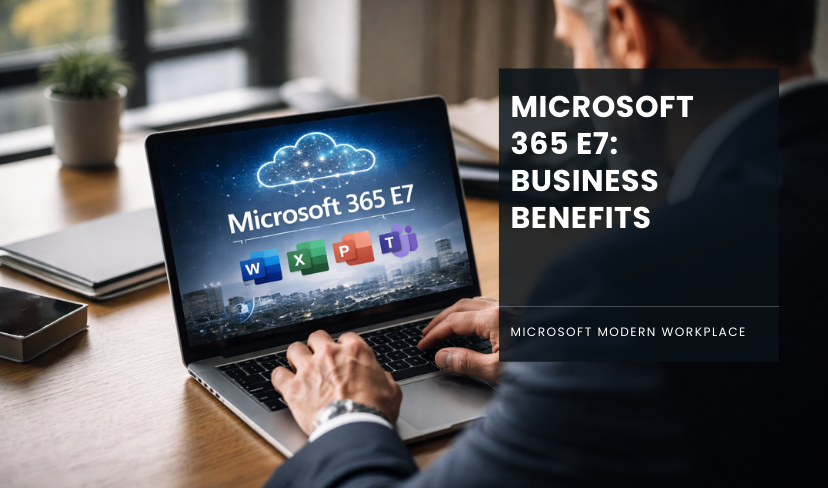
One of the most notable developments is the introduction of Microsoft 365 E7, a new enterprise suite within the Microsoft 365 ecosystem. This offering is designed to combine productivity tools, advanced security, and AI capabilities into a single platform for organisations looking to unlock the full potential of AI-powered work.
But what exactly does Microsoft 365 E7 include, and more importantly, what does it mean for businesses that rely on Microsoft’s ecosystem every day? This guide explores the capabilities of Microsoft 365 E7, how they compare with previous enterprise plans, and how organisations can prepare to take advantage of them.
Why Microsoft Introduce Microsoft 365 E7?
The demand for AI-enabled productivity tools has grown rapidly over the past few years. Organisations want employees to spend less time on repetitive administrative tasks and more time on high-value work such as decision-making, innovation, and customer engagement.
At the same time, the rise of AI has created new challenges around governance, data security, and compliance. Businesses need tools that can deliver the benefits of AI while protecting sensitive information and maintaining regulatory compliance.
Microsoft 365 E7 aims to address these challenges by combining the following:
- AI productivity tools
- advanced security and compliance capabilities
- identity and access management
- automated workflows and intelligent insights
By integrating these capabilities into one enterprise platform, Microsoft is helping organisations adopt AI more confidently without increasing operational complexity.
Key Features of Microsoft 365 E7
Although the exact capabilities may evolve, Microsoft 365 E7 is expected to focus on three core pillars: productivity, security, and automation.
1. AI-Powered Productivity
One of the most significant features of Microsoft 365 E7 is the deep integration of AI across productivity tools. With the help of Microsoft Copilot, employees can perform complex tasks faster and with greater accuracy.
AI capabilities may include:
- automated document creation and editing
- meeting summaries and action items
- intelligent email drafting and responses
- data analysis and visualisation
- AI-assisted research and reporting
These features allow teams to work more efficiently by reducing the time spent on manual tasks and repetitive processes.
For organisations managing large volumes of information, AI-powered tools can significantly improve productivity by enabling employees to focus on strategic work.
2. Advanced Security and Compliance
As AI becomes embedded in workplace tools, security becomes even more important. Microsoft 365 E7 is designed to extend enterprise security capabilities across the entire productivity environment.
Security features may include:
- identity and access management
- threat detection and response
- data loss prevention
- compliance monitoring
- security analytics and reporting
These capabilities help organisations maintain control over sensitive information while enabling AI to interact responsibly with business data.
Strong governance is particularly important when AI tools access emails, documents, and internal communications. Microsoft 365 E7 is built to ensure that AI usage aligns with security and compliance requirements.
3. Automation and Intelligent Workflows
Another major focus of Microsoft 365 E7 is automation. Many organisations still rely on manual processes that slow down operations and increase the risk of human error.
With AI-powered automation, businesses can streamline workflows across departments. Examples include:
- automated document approvals
- intelligent task management
- automated reporting and dashboards
- AI-generated insights from operational data
Automation helps organisations reduce operational friction while enabling employees to focus on more meaningful tasks.
Microsoft 365 E7 vs E5: What’s the Difference?
Many organisations currently use enterprise plans such as E3 or E5. While these plans provide strong productivity and security capabilities, Microsoft 365 E7 introduces additional AI and automation features.
Here is a simplified comparison.
| Capability | E5 | E7 |
|---|---|---|
| Core productivity apps | Yes | Yes |
| Enterprise security tools | Yes | Yes |
| AI-powered productivity | Limited | Expanded |
| Integrated Copilot capabilities | Optional | Deep integration |
| Intelligent automation | Basic | Advanced |
For organisations exploring AI-driven productivity, Microsoft 365 E7 provides a more integrated experience where AI is embedded across the platform rather than added as an optional feature.
Ready to Prepare Your Business for AI-Powered Work?
Speak with a Transputec expert today and discover how your organisation can unlock the full potential of Microsoft 365 and AI.
What Microsoft 365 E7 Means for Businesses?
The introduction of Microsoft 365 E7 reflects a broader shift in how organisations approach digital transformation.
Instead of simply upgrading software, businesses are now rethinking how technology can support smarter decision-making and more efficient operations.
Microsoft 365 E7 enables organisations to:
- improve employee productivity with AI assistance
- automate repetitive tasks and workflows
- enhance security and governance
- unlock insights from organisational data
For knowledge workers, AI-powered tools can dramatically reduce the time required to create documents, analyse information, and collaborate with colleagues.
For leadership teams, this means faster decision-making and better visibility into operational data.
Challenges Businesses May Face When Deploying E7
While the benefits of AI-powered productivity are significant, deploying a platform like Microsoft 365 E7 also requires careful planning.
Some organisations may face challenges such as:
1. Data Governance
AI tools rely heavily on organisational data. If permissions and access controls are not properly configured, employees may gain unintended access to sensitive information.
2. Security Risks
AI tools that interact with enterprise data must be deployed with strong security policies to prevent data leakage or misuse.
3. Integration Complexity
Many organisations operate complex IT environments that include legacy systems, third-party tools, and custom applications. Integrating AI-powered capabilities across these systems may require careful configuration.
4. Change Management
Adopting AI-driven workflows often requires employees to adapt to new ways of working. Training and adoption strategies are essential to ensure that teams use AI tools effectively.
Preparing Your Organisation for Microsoft 365 E7
Before adopting Microsoft 365 E7, organisations should evaluate their current Microsoft 365 environment to ensure it is ready for AI-enabled capabilities.
Key preparation steps include:
1. Assessing Your Current Environment
Understanding how Microsoft 365 is currently configured can help identify potential gaps in security, governance, and identity management.
2. Strengthening Identity and Access Controls
Identity protection is a critical component of any AI-enabled environment. Businesses should review access policies and ensure that employees only have access to the data they need.
3. Improving Data Governance
Clear data classification and governance policies ensure that AI tools interact with information responsibly.
4. Developing an AI Adoption Strategy
Rather than deploying AI across the organisation all at once, many businesses benefit from a phased approach. This allows teams to experiment with AI tools, gather feedback, and refine workflows before scaling adoption.
The Strategic Opportunity of AI-Powered Work
The introduction of Microsoft 365 E7 signals a major shift in enterprise technology. AI is no longer an experimental feature; it is becoming a core component of the digital workplace.
Organisations that successfully adopt AI-powered platforms will be able to:
- make faster decisions
- automate operational tasks
- enhance employee productivity
- unlock deeper insights from data
However, success requires more than simply enabling AI tools. Businesses must ensure that security, governance, and infrastructure are ready to support this new way of working.
How Transputec Can Help
Adopting AI-powered platforms like Microsoft 365 E7 requires the right strategy, governance framework, and technical expertise.
At Transputec, organisations receive support across the entire AI adoption journey, from assessing Microsoft environments to implementing secure governance models and optimising productivity workflows.
With expertise in Microsoft platforms, cybersecurity, and managed services, Transputec helps businesses prepare their environments for AI-powered collaboration while maintaining strong security and compliance standards.
Conclusion
Microsoft 365 E7 represents a significant step forward in the evolution of the digital workplace. By combining AI-driven productivity tools, enterprise security, and intelligent automation, it provides organisations with a platform designed for the future of work.
For businesses already using Microsoft 365, the move toward AI-powered productivity is likely to accelerate in the coming years. Preparing for that shift now can help organisations unlock new efficiencies while maintaining control over their data and systems.
As AI becomes an integral part of everyday work, platforms like Microsoft 365 E7 will play a central role in shaping how businesses collaborate, innovate, and grow.
Transputec helps organisations prepare, deploy, and optimise Microsoft 365 environments for the AI era. From AI readiness assessments to secure implementation and ongoing management, our experts ensure your organisation can confidently adopt new technologies while maintaining strong security and compliance.
Speak with a Transputec expert today and discover how your organisation can unlock the full potential of Microsoft 365 and AI.

Ready to Experience the Transputec Difference?
Contact us today to schedule a consultation with our experts.
FAQs
1. What is Microsoft 365 E7?
Microsoft 365 E7 is an enterprise-level subscription designed to bring together productivity tools, advanced security, and AI capabilities within the Microsoft 365 ecosystem. It aims to help organisations deploy AI-powered workflows, automate routine tasks, and maintain strong governance and security across their digital workplace.
2. What features are included in Microsoft 365 E7?
Microsoft 365 E7 is expected to include a combination of enterprise productivity applications, advanced security capabilities, and AI-powered tools. These features often integrate with solutions like Microsoft Copilot, enabling employees to automate content creation, summarise meetings, analyse data, and improve collaboration while maintaining enterprise-level security and compliance.
3. How is Microsoft 365 E7 different from Microsoft 365 E5?
While both plans provide enterprise productivity and security capabilities, Microsoft 365 E7 focuses more heavily on AI integration and automation. Compared to E5, E7 is designed to deliver deeper AI-powered productivity features, improved workflow automation, and a more integrated experience for organisations adopting AI across their operations.
4. Who should consider upgrading to Microsoft 365 E7?
Microsoft 365 E7 is particularly relevant for organisations that want to scale AI across their workforce while maintaining strong governance and security. Businesses that rely heavily on data-driven decision-making, collaboration tools, and automation can benefit from the AI capabilities and security features available within the platform.
5. Is Microsoft 365 E7 suitable for small and mid-sized businesses?
While Microsoft 365 E7 is primarily designed for enterprise environments, mid-sized organisations that are rapidly adopting AI and automation may also benefit from its capabilities. Businesses with complex data environments or growing security requirements may find value in the platform’s integrated AI and governance features.
5. How can organisations prepare their environment for Microsoft 365 E7?
Before deploying Microsoft 365 E7, organisations should review their existing Microsoft environment to ensure that identity management, data governance, and security policies are properly configured. Preparing the environment helps ensure that AI tools operate securely and that sensitive business data remains protected.