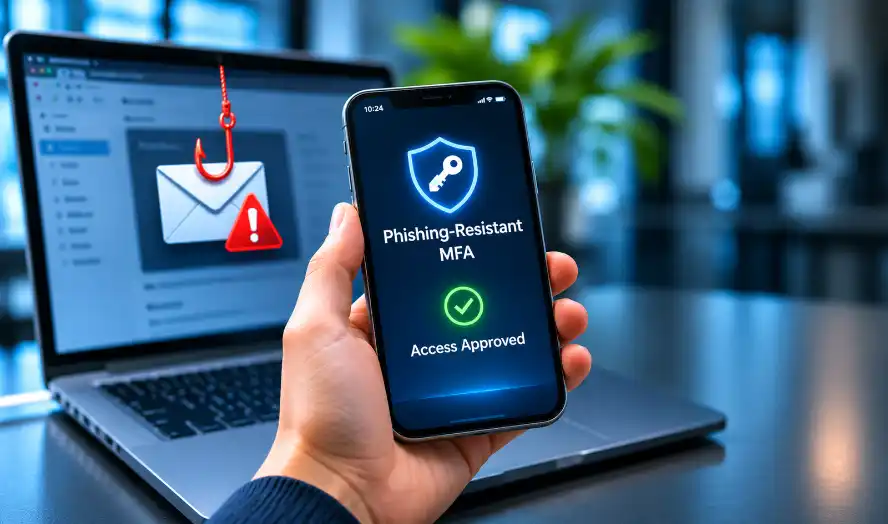
Phishing-resistant MFA is multi-factor authentication that cannot be completed by someone who has tricked a user into handing over a code. Microsoft’s definition is precise: it “includes methods that require an interaction between the authentication method and the sign-in surface”. The credential is bound to the real site, so a convincing fake cannot use it.
Three methods qualify in Microsoft’s built-in Phishing-resistant MFA strength: Windows Hello for Business or a platform credential, a FIDO2 security key, and Microsoft Entra certificate-based authentication. The NCSC ranks FIDO2 credentials first of five MFA types, and says FIDO2 “provides guessing resistance, phishing resistance, and theft resistance”.
What does not qualify: SMS, voice calls, app-generated codes, and push approvals in an authenticator app. The NCSC gives challenge-based authenticator apps only “partial phishing resistance because it is vulnerable to the ‘prompt fatigue’ attack”.
Requiring it needs a Conditional Access policy and a Microsoft Entra ID P1 licence. Start with privileged accounts, not everyone.
Most organisations that believe they have solved MFA have deployed the kind an attacker can phish straight through. The distinction is not a maturity level. It is whether the second factor can be relayed by someone sitting in the middle.
Last week’s Entra Connect Health breach ended with the same recommendation that follows almost every identity incident: put phishing-resistant authentication on privileged accounts. That is sound advice and it is rarely accompanied by what it means, which methods count, what it costs, or what breaks.
This article answers those four questions using the NCSC’s and Microsoft’s own wording. It also flags a conflict between two Microsoft pages that will catch you out if you build a Conditional Access policy from the wrong one. Transputec deploys and runs identity controls for UK mid-market organisations as part of its cyber security services.
What Phishing-Resistant MFA Actually Means
The useful definition is Microsoft’s, because it describes the mechanism rather than the marketing. Phishing-resistant MFA “includes methods that require an interaction between the authentication method and the sign-in surface”.
Unpack that and the whole category makes sense. With a FIDO2 key or Windows Hello, the credential is cryptographically tied to the domain it was registered against. Present it to a lookalike site and it simply does not work, because the site is not the site it was bound to. There is nothing for the user to get wrong and nothing for them to read out over the phone.
Compare that with a six-digit code. A code is just a number, so it can be typed into anything, including a convincing replica of your sign-in page that forwards it to the real one in real time. The user did everything they were trained to do and the attacker still got in. That failure mode is the subject of our piece on adversary-in-the-middle phishing.
Worth noting a wording difference between the two authorities, because it affects how you write policy. Microsoft uses “phishing-resistant” as a defined product term with a named Conditional Access control. The NCSC does not use it as a defined term at all; it talks about “phishing resistance” and “partial phishing resistance” as properties that methods either have or partly have. The substance agrees. The vocabulary does not, so quote whichever one your auditor recognises.
The NCSC Ranks Five Types, in Order
The NCSC’s guidance, reviewed September 2024, says plainly that “where possible you should adopt the type of MFA in the order presented below”. The order is based on “the strength of authentication provided, including the assurance, accessibility, and usability”.
- FIDO2 credentials, on trusted platform devices or roaming keys. The NCSC says FIDO2 “provides guessing resistance, phishing resistance, and theft resistance”. It is the only entry on the list that gets all three.
- Challenge-based authenticator apps. This “only provides partial phishing resistance because it is vulnerable to the ‘prompt fatigue’ attack”.
- App-based code generators. “Known to be vulnerable to the OTP interception phishing attack, and are not theft resistant.”
- Hardware-based code generators. Also “known to be vulnerable to OTP interception phishing”.
- Message-based methods, meaning email, SMS and call-based. These “are only likely to be appropriate when no other strengthening method is possible”, and the example the NCSC gives is a legacy system that supports nothing else.
Read that list as a procurement instruction rather than a scale. Positions two to five all have a named phishing weakness. Only position one does not.
Do You Know What Your Admin Accounts Actually Require?
Most organisations have MFA switched on and could not say which of their privileged accounts could be phished through it. Transputec deploys and runs identity controls for UK mid-market organisations. We can tell you where you stand and what it would take to close it.
Talk to our teamWhy Your Authenticator App Is Not Enough
This is the uncomfortable part, because the authenticator app is where most UK organisations landed after moving off SMS, and it felt like the end of the journey.
Microsoft is direct about it. Its authentication overview says of SMS, email one-time passcodes and authenticator apps that “these MFA options are prone to remote phishing attacks”, and notes attackers using “social engineering and AI-driven tools to steal identity credentials”. In Microsoft’s own authentication strengths table, Microsoft Authenticator phone sign-in satisfies the Passwordless MFA strength but is not ticked as phishing-resistant.
The NCSC reaches the same place by a different route, with the prompt-fatigue attack: send enough approval requests and eventually somebody taps approve, either to make it stop or because it arrived while they happened to be signing in.
Two things worth being fair about. Moving from SMS to an authenticator app was a real improvement, and the NCSC’s ranking reflects that. And number matching, where the user types a displayed number rather than tapping approve, makes prompt fatigue harder. But the NCSC mentions number matching only as an example of a challenge-based app, and does not say it removes the weakness. So treat the app as a good position two, not as a solved problem.
The Methods That Qualify in Microsoft 365
Microsoft ships three built-in authentication strengths, and the names are exact: Multifactor authentication strength, Passwordless MFA strength and Phishing-resistant MFA strength. Built-in strengths “are always available and can’t be modified”.
The Phishing-resistant MFA strength allows combinations of:
- Windows Hello for Business, or a platform credential
- A FIDO2 security key
- Microsoft Entra certificate-based authentication, multifactor
You apply it by creating a Conditional Access policy using the Require authentication strength control. A strength “specifies which combinations of authentication methods users can use to access a resource”.
Three practical constraints come with it, and all three are stated by Microsoft rather than inferred.
- You need Microsoft Entra ID P1. That is a licensing decision before it is a security one, and for a Business Premium tenant it is worth checking what you actually hold.
- You cannot combine the controls. “You can’t use the Require multifactor authentication and Require authentication strength grant controls together in the same Conditional Access policy.” Policies that already use the older control need rewriting, not extending.
- The password still gets typed. “Conditional Access policies are evaluated only after the initial authentication”, so a user “can still enter a password but must sign in by using a phishing-resistant method” before continuing. This stops account takeover. It does not stop the password reaching a phishing page, which is why credential monitoring still matters.
Microsoft's Own Two Lists Do Not Match
This is the detail most worth taking away, because it will quietly break a policy you thought was correct.
Microsoft’s authentication overview lists six phishing-resistant methods: Windows Hello for Business, Platform Credential for macOS, synced passkeys (FIDO2), FIDO2 security keys, passkeys in Microsoft Authenticator, and certificate-based authentication.
Microsoft’s authentication strengths page defines the built-in Phishing-resistant MFA strength as three combinations: Windows Hello for Business or platform credential, FIDO2 security key, and certificate-based authentication. Synced passkeys and passkeys in Microsoft Authenticator are not named, and the table on that page does not list them.
So the two pages are answering different questions. One says which methods are phishing-resistant as a security property. The other says which methods satisfy a specific Conditional Access control. They do not have to agree, and they do not.
The practical consequence: if you roll out passkeys in Microsoft Authenticator because the overview page calls them phishing-resistant, and then enforce the built-in Phishing-resistant MFA strength, you may have a population holding a credential that does not satisfy your own policy. Test one account against the policy before you enforce it broadly. Do not take either page, or this article, as a substitute for that test, because the behaviour of a credential type under a strength is exactly the sort of thing that changes between documentation updates.
Where FIDO2 Does Not Fit
The NCSC is specific about when its own top recommendation is the wrong answer, which is more useful than a vendor pitch. FIDO2 is less appropriate where:
- You are “unable to procure or effectively risk manage a trusted device or security token”. Keys are physical objects that get lost, shared and left in drawers, and somebody has to own that.
- “The online service does not support FIDO2 authentication.” This rules out a lot of line-of-business and legacy systems, which is why message-based MFA survives at position five.
- Mobile connectivity is unreliable, or mobile devices are not permitted on site. Both are real in manufacturing, healthcare and secure facilities.
The NCSC also notes that a hardware token “can only protect one account” in some cases, which matters if your administrators hold several.
On break-glass accounts, the NCSC’s anti-patterns guidance is explicit: “All user accounts with access to sensitive data should have MFA enforced (with the exception of heavily monitored emergency ‘break glass’ accounts if you choose to do so).” Note the conditions attached to that exception. Heavily monitored, and your choice to accept the risk. An unmonitored emergency account excluded from policy and forgotten is not a break-glass account, it is a back door.
Neither source covers lost-key recovery, so that is a process you have to design. Decide it before deployment rather than during the first incident.
A Rollout Sequence That Does Not Break Things
Order matters here, because the common failure is enforcing a policy that locks out the people who would have to fix it.
- Count your privileged accounts. Global Administrator, Privileged Role Administrator, Security Administrator, Exchange and SharePoint admins, plus any service account a human signs into. This number is usually larger than anyone expects, and shrinking it is free security.
- Create and document break-glass accounts first, with monitoring and alerting on their use, and exclude them from the policy deliberately rather than by accident.
- Check your licensing. Entra ID P1 is the gate for authentication strengths. Find out before you design around it.
- Register credentials before enforcing. Give the privileged population their keys or Windows Hello enrolment and let them use them voluntarily first. Enforcement on day one with nothing registered produces a lockout.
- Test one account against the policy in report-only mode. Confirm the credential type you issued actually satisfies the strength, per the mismatch above.
- Enforce for privileged roles only. Conditional Access can target directory roles, so scope it there and leave the general population on what they have.
- Then widen, by risk rather than by department. Finance, anyone who can move money, anyone with access to personal data at volume.
Steps one and two are the ones people skip, and they are the two that cause the outage. If you already run Conditional Access, our guide to Conditional Access in Microsoft 365 covers the policy mechanics this sits on top of.
How Transputec Helps
The hard part of this is rarely the technology. It is counting the privileged accounts honestly, getting physical keys into people’s hands, and being available when somebody is locked out at eight in the morning.
Transputec deploys and operates Duo MFA and Cisco Identity Services Engine as a Cisco Partner, as part of the identity layer within our cyber security services. Conditional Access policies, MFA enforcement and Defender configuration sit inside our Microsoft 365 managed services, maintained on a fixed monthly fee rather than left to drift after go-live, which is the usual fate of a policy nobody owns.
Behind both sits a 24/7 managed SOC run from our London headquarters, including Microsoft Sentinel operated by Microsoft-certified analysts. That matters here because the password still reaches the phishing page even when the authentication holds, so somebody needs to be watching the sign-in logs for what got attempted.
If you want to know what your tenant currently enforces before committing to anything, the free Microsoft 365 health check is a 30-minute call with one of our M365 admins who reviews your tenant and flags the top three risks.
The Takeaway
Phishing-resistant MFA is a technical category with a test, not a stronger version of what you already have. The test is whether the credential is bound to the real sign-in surface. Microsoft’s built-in strength recognises three methods: Windows Hello for Business or a platform credential, FIDO2 security keys, and certificate-based authentication. The NCSC puts FIDO2 first of five and gives everything below it a named phishing weakness.
Your authenticator app is position two of five. That was progress and it is not the finish line, because the NCSC calls it partially resistant and Microsoft does not tick it as phishing-resistant at all.
Three things to check before you plan a rollout. Whether you hold Entra ID P1. Whether your break-glass accounts are monitored rather than merely excluded. And whether the credential you intend to issue actually satisfies the Conditional Access strength you intend to enforce, because Microsoft’s own two pages give different lists and only a test on a real account settles it.
Start with privileged accounts. That is where the Entra Connect Health advisory pointed, it is the smallest population, and it is the one an attacker with a verified admin email address is already aiming at.
Frequently Asked Questions
What is phishing-resistant MFA?
It is multi-factor authentication that cannot be completed by an attacker who has tricked the user into handing over a code. Microsoft defines it as including “methods that require an interaction between the authentication method and the sign-in surface”, meaning the credential is cryptographically bound to the real site and will not work against a lookalike. Windows Hello for Business, FIDO2 security keys and certificate-based authentication qualify in Microsoft’s built-in Phishing-resistant MFA strength.
Is Microsoft Authenticator phishing-resistant?
Not for push approvals or generated codes. In Microsoft’s authentication strengths table, Microsoft Authenticator phone sign-in satisfies the Passwordless MFA strength but is not marked as phishing-resistant. The NCSC gives challenge-based authenticator apps only “partial phishing resistance because it is vulnerable to the ‘prompt fatigue’ attack”. Passkeys in Microsoft Authenticator are a separate case and are listed as phishing-resistant on one Microsoft page but not named in the built-in strength, so test before relying on them.
Does phishing-resistant MFA need a specific Microsoft licence?
Yes. Microsoft states that using authentication strengths requires a Microsoft Entra ID P1 licence on your tenant. Note also that you cannot use the Require multifactor authentication and Require authentication strength grant controls together in the same Conditional Access policy, so existing policies need rewriting rather than extending.
Is SMS-based MFA still acceptable?
The NCSC places message-based methods, meaning email, SMS and call-based, last of five types and says they “are only likely to be appropriate when no other strengthening method is possible”, giving a legacy system that supports nothing else as the example. Microsoft groups SMS with email one-time passcodes and authenticator apps and says “these MFA options are prone to remote phishing attacks”. So it is better than nothing and should not be your plan for privileged accounts.
Should we exclude break-glass accounts from the policy?
The NCSC says all accounts with access to sensitive data should have MFA enforced, “with the exception of heavily monitored emergency ‘break glass’ accounts if you choose to do so”. Both conditions matter: heavily monitored, and a deliberate risk decision. Create and document those accounts with alerting on their use before you enforce anything, so the exclusion is a control rather than an oversight.
This article was drafted with AI assistance and reviewed by the Transputec team. Featured image: AI-generated.